Notion is a comprehensive all-in-one workspace where you can write, plan, collaborate, and organize your tasks. It flexibly caters to various needs, allowing users to take notes, add tasks, manage projects, create a knowledge base, and more. Seamlessly functioning as a personal Wiki, project, and task manager, note-taking tool, database, and content collaboration platform, Notion has become a go-to tool for teams and individuals seeking increased productivity and organization.
Notion's versatility facilitates it to work uniquely, replacing a myriad of other applications that would typically be used separately for different tasks. The creative freedom it allows in terms of design and format customization means that it can function exactly the way you want it to, truly living up to its claim of being an "all-in-one workspace". This, combined with its smart and clean user interface, makes working in Notion a seamless experience.
However, despite its extensive features and capabilities, Notion is not a one-size-fits-all solution, as it might not meet everyone's requirements perfectly. Some find it too complex, while others may be seeking features that Notion lacks. Given this, it's worth exploring the top five alternatives to Notion that could potentially better align with specific needs and preferences.
What are the top limitations of Notion?
While Notion shines in many areas as a comprehensive productivity and note-taking platform, there are several key limitations that users may face. To make an informed decision, it's important to understand these drawbacks:
Complexity: Notion's interface can be quite complex and confusing, particularly for first-time users. It may take a while to figure out how to use all the different features effectively.
Limited Offline Access: Notion is primarily a web-based tool and requires consistent internet access for full usability. Limited offline functionality can pose a challenge for those without steady internet access.
Mobile Experience: The mobile apps for iOS and Android are not as seamless or robust as the web version. Users have reported issues such as slow performance and lack of some features.
Collaboration Limitations: Real-time collaboration is limited on Notion. For example, you don't see live cursor activity of others in the document, unlike competitor products such as Google Docs.
Customization Limits: Notion offers a lot of customization options but still lacks some niche features offered by specialized tools such as Bonsai for project management or Evernote for note-taking.
These limitations might make users consider other software that better suits their specific needs. Though Notion strives to be an all-encompassing tool, it may not always be the best choice depending on individual or team requirements.
Top features
CRM
Online payments
Subscription invoicing
Project budgets
Client portal
Advanced time tracking
Resource planning
Timesheets
Proposals
Contracts
Client Management
Sales pipeline
Scheduling
File update / storage
White labelling
Forms
Service library
Project & Tasks
Recurring tasks
Task templates
Task milestones
Task estimates
Task dependencies
Board view
Custom task statuses
Contractor management
Client billing
Sync time entries & expenses
Lock attachments
Schedule send
Multi-currency billing
Expense attachments
Integrations & Automations
Chrome add-on
MacOS app
iOS app
Android app
Automations
Zapier integration
Quickbooks integration
Hubspot integration
Slack integration
Bonsai
Starten Sie eine kostenlose Testversion der besten Notion-Alternative
1. Bonsai: The best Notion alternative for agencies
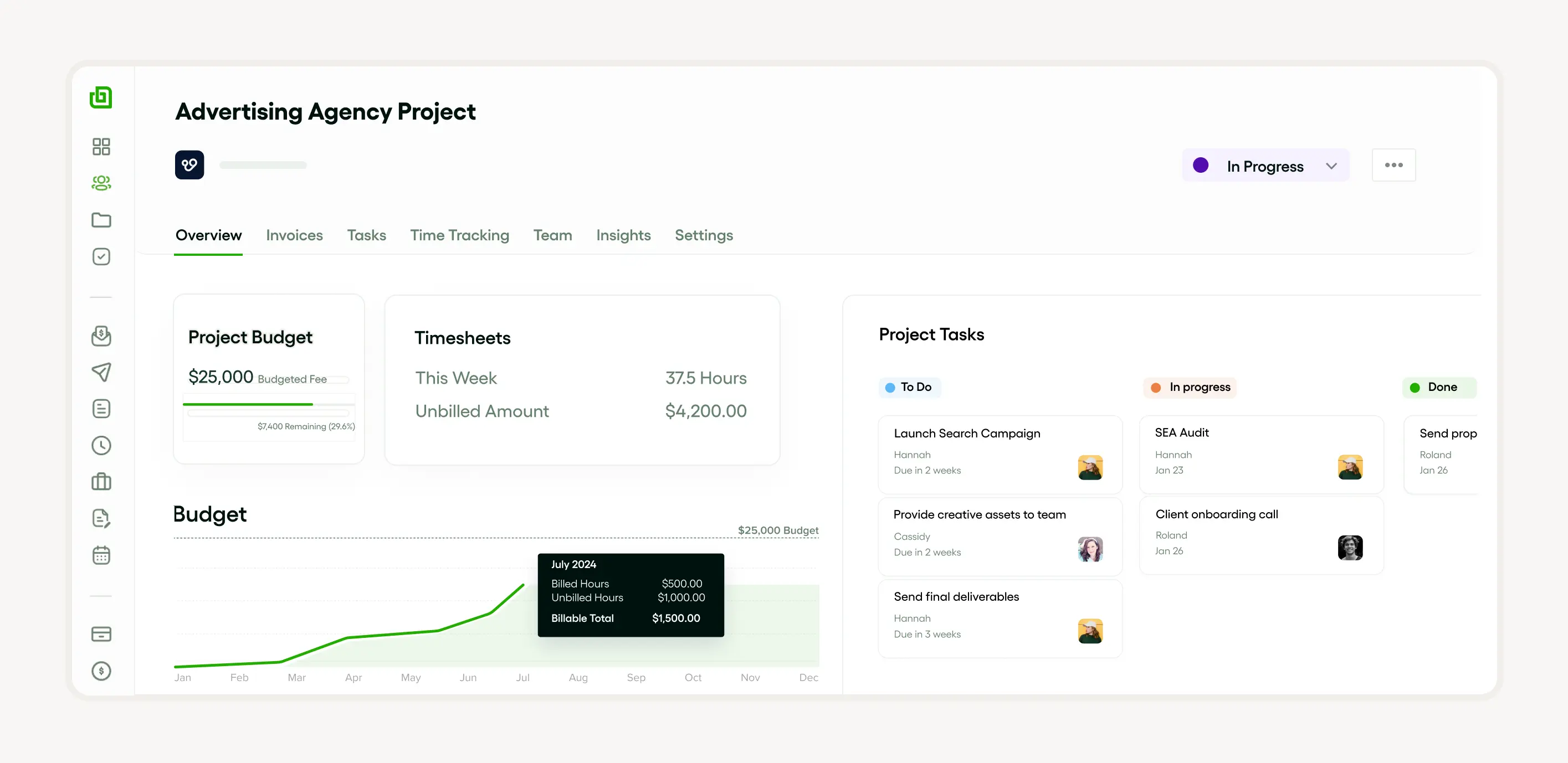
Among various productivity tools available in the market today, Bonsai stands out as an excellent option for service businesses and agencies. Matching up with applications like Notion, Bonsai has established itself as an all-in-one tool that takes care of all your business needs, from project management to client relations and financial administration. With its intuitive interface and streamlined features, Bonsai simplifies the process of running a service business efficiently while maintaining the quality of work.
Why should you consider Bonsai as your go-to productivity tool? Here are a few solid reasons:
Comprehensive Project Management: With Bonsai, you can streamline your projects on a single platform. It allows you to create tasks, assign them to team members, maintain a checklist, and track progress regularly. This organized approach not only saves time but improves overall project execution.
Efficient Client CRM: Bonsai understands the importance of maintaining healthy client relationships. Hence, it offers a robust Customer Relationship Management system, enabling you to track client information, communication history, and project details, ensuring that you never miss any crucial client-related information.
Time and Expense Tracking: Bonsai takes care of tracking your time and expenses in real-time. Based on your inputs, it automatically generates accurate time reports and expense sheets, which can be useful in identifying areas for improvement and for maintaining financial transparency with clients.
Integrated Invoice and Payment System: Unlike other tools, Bonsai offers an incorporated invoice and payment system. This enables you to create, send, and track invoices seamlessly, right from the same platform. It supports different currencies and payment methods, making it a scalable solution for businesses dealing with international clients.
In essence, Bonsai takes the load off business administration and lets you focus on the core operations of your agency. While other platforms like Notion have wide-ranging features, the specificity and integration of tools offered by Bonsai make it a stand-out choice for service-oriented businesses.
2. Evernote
Evernote is a powerful note-taking and organizational platform that gives users flexibility and efficiency. It is an excellent alternative to Notion providing a rich set of features to improve productivity. Best Features:
Evernote is rich with features designed to enhance productivity.
It offers handy integration with external apps, such as Slack and Google Docs.
With its 'Web Clipper' feature, users can save and annotate web articles, blogs, and news directly into their notes.
The platform provides both handwriting and voice note features.
It has a sturdy document scanning feature making digitalizing hard documents a breeze.
Limitations:
Despite its robust features, Evernote also has certain limitations.
Its User Interface can be a bit intimidating for new users.
The platform lacks inherent project or task management tools.
Pricing:
The pricing structure of Evernote is pretty straightforward.
Evernote pricing starts at $7.99 per user per month with a discounted annual plan. Reviews and Ratings:
Customers perceive Evernote positively with an overall rating of 4.4 out of 5 on leading software review platforms.
3. Trello
Trello is a flexible, easy-to-use project management tool known for its simplistic card and board system. It's a viable alternative to Notion.
Best Features:
Visual board and card system for easy task organization.
Robust automation with Butler.
Integrated calendar for scheduling and deadline tracking.
Sync capabilities across devices for real-time updates.
Limitations:
Limited template gallery compared to other tools like Notion.
No native offline mode.
Pricing:
Free basic version available.
Paid versions start from $10/month with advanced features.
Reviews and Ratings:
Rated 4.3 out of 5 on G2, indicating high customer satisfaction.
Frequently praised for its ease of use and versatility.
4. Asana
Asana is a robust project management tool designed to help teams orchestrate work, from small tasks to strategic initiatives. Best Features:
Asana shines with several features:
Team Collaboration: A virtual workspace enabling users to assign tasks, attach files, and comment.
Project Visualization: Allows creation of visual project timelines.
Workload Management: Helps distribute tasks equally among team members.
Integrations: Compatibility with hundreds of apps, like Slack, Google Drive etc.
Limitations:
Despite its strengths, Asana has some limitations:
Learning Curve: New users may find it slightly complex initially.
Limited Free Version: Fewer features in the free version compared to other tools like Notion.
Pricing:
Asana offers a free basic plan and four premium plans starting at $13.49/user/month.
Reviews & Ratings:
With an average rating of 4.3/5 from G2, Asana is appreciated for its comprehensive and flexible features, though some users find it pricey.
5. Google Keep
Google Keep is a note-taking service developed by Google. Regarded as one of the top alternatives to Notion, it is designed to help users capture and save ideas, task lists, and more.
Best Features:
User-friendly interface and simple design.
Allows voice notes and transcribes them into text.
Integration with other Google services like Google Docs and Google Calendar.
Supports collaboration in real-time.
Limitations:
Limited text formatting options compared to other apps like Notion.
No option to create notebooks or more elaborate document structures.
Pricing:
The app is free to use, with an option to pay for extra storage through Google One.
Reviews and Ratings:
Rated 4.2 on Google Play Store.
Users praised it for simplicity and ease of use though criticized for limited customization features.
Quiz: What is the best Notion alternative for your business?
Answer the following questions to assess which Notion alternative is
best for your business.
Based on your answers, Bonsai would be the best alternative to
Notion.
Try Bonsai for free
Loslegen in 30 sekunden.
Vereinfachen Sie Ihre Geschäftsabläufe und konsolidieren Sie Ihre Projekte, Kunden und Ihr Team auf einer integrierten, benutzerfreundlichen Plattform.
Bonsai partners with Stripe Payments Company for money transmission services and account services with funds held at Evolve Bank & Trust and Fifth Third Bank, Members FDIC. Bonsai cards (Visa® Prepaid Cards) are issued by Celtic Bank, Member FDIC.
*Stripe Treasury Accounts are eligible for FDIC pass-through deposit insurance if they meet certain requirements. The accounts are eligible only to the extent pass-through insurance is permitted by the rules and regulations of the FDIC, and if the requirements for pass-through insurance are satisfied. The FDIC insurance applies up to 250,000 USD per depositor, per financial institution, for deposits held in the same ownership capacity. Neither Stripe nor Bonsai are an FDIC insured institution. The FDIC’s deposit insurance coverage only protects against the failure of an FDIC insured depository institution. Beyond the 7-day trial, there are no monthly fees and no minimums — usage is conditioned to being on a Bonsai paid plan.
Bonsai is not a law or accounting firm, and does not provide legal services, advice, or representation. Some product imagery is for illustrative purposes only and the actual product experience may differ.
Bonsai arbeitet mit Stripe Payments Company zusammen, um Geldtransferdienste und Kontodienste mit Geldern anzubieten, die bei Evolve Bank & Trust und Fifth Third Bank, Mitglieder der FDIC, verwahrt werden. Bonsai-Karten (Visa® Prepaid-Karten) werden von der Celtic Bank, Mitglied der FDIC, ausgegeben.
*Stripe Treasury-Konten sind für die FDIC-Pass-Through-Einlagensicherung qualifiziert, wenn sie bestimmte Anforderungen erfüllen. Die Konten sind nur in dem Umfang berechtigt, in dem eine Durchleitungsversicherung gemäß den Regeln und Vorschriften der FDIC zulässig ist und die Anforderungen für eine Durchleitungsversicherung erfüllt sind. Die FDIC-Versicherung gilt bis zu einer Höhe von 250.000 USD pro Einleger und Finanzinstitut für Einlagen, die in derselben Eigentumsform gehalten werden. Weder Stripe noch Bonsai sind FDIC-versicherte Institute. Die Einlagensicherung der FDIC schützt nur vor dem Ausfall eines FDIC-versicherten Einlageninstituts.
Bonsai ist keine Anwaltskanzlei und bietet keine Rechtsdienstleistungen, Rechtsberatung oder Rechtsvertretung an. Einige Produktbilder dienen nur zur Veranschaulichung und können vom tatsächlichen Produkt abweichen.
Nach Ablauf der 7-tägigen Testphase fallen keine monatlichen Gebühren und keine Mindestumsätze an – die Nutzung ist an einen kostenpflichtigen Bonsai-Tarif gebunden. Weitere Informationen finden Sie hier: https://www.hellobonsai.com/pricing


.svg)




'%3e%3cg id='Final-Copy-2_2_' transform='translate(1275.000000, 200.000000)'%3e%3cpath class='st0' d='M7.4,12.8h6.8l3.1-11.6H7.4C4.2,1.2,1.6,3.8,1.6,7S4.2,12.8,7.4,12.8z'/%3e%3c/g%3e%3c/g%3e%3c/g%3e%3cg id='final---dec.11-2020'%3e%3cg id='_x30_208-our-toggle' transform='translate(-1275.000000, -200.000000)'%3e%3cg id='Final-Copy-2' transform='translate(1275.000000, 200.000000)'%3e%3cpath class='st1' d='M22.6,0H7.4c-3.9,0-7,3.1-7,7s3.1,7,7,7h15.2c3.9,0,7-3.1,7-7S26.4,0,22.6,0z M1.6,7c0-3.2,2.6-5.8,5.8-5.8 h9.9l-3.1,11.6H7.4C4.2,12.8,1.6,10.2,1.6,7z'/%3e%3cpath id='x' class='st2' d='M24.6,4c0.2,0.2,0.2,0.6,0,0.8l0,0L22.5,7l2.2,2.2c0.2,0.2,0.2,0.6,0,0.8c-0.2,0.2-0.6,0.2-0.8,0 l0,0l-2.2-2.2L19.5,10c-0.2,0.2-0.6,0.2-0.8,0c-0.2-0.2-0.2-0.6,0-0.8l0,0L20.8,7l-2.2-2.2c-0.2-0.2-0.2-0.6,0-0.8 c0.2-0.2,0.6-0.2,0.8,0l0,0l2.2,2.2L23.8,4C24,3.8,24.4,3.8,24.6,4z'/%3e%3cpath id='y' class='st3' d='M12.7,4.1c0.2,0.2,0.3,0.6,0.1,0.8l0,0L8.6,9.8C8.5,9.9,8.4,10,8.3,10c-0.2,0.1-0.5,0.1-0.7-0.1l0,0 L5.4,7.7c-0.2-0.2-0.2-0.6,0-0.8c0.2-0.2,0.6-0.2,0.8,0l0,0L8,8.6l3.8-4.5C12,3.9,12.4,3.9,12.7,4.1z'/%3e%3c/g%3e%3c/g%3e%3c/g%3e%3c/g%3e%3c/svg%3e)