


Stripe vs PayPal for freelancers in 2026: Stripe offers lower fees and better integration for tech-savvy users, while PayPal is widely recognized and user-friendly.
Key differences include Stripe's advanced customization and PayPal's ease of use. Stripe is ideal for those needing robust API tools and scalability, whereas PayPal suits freelancers preferring simplicity and global reach.
Consider transaction fees, customer support, and integration capabilities when choosing. Ultimately, the best choice depends on your specific business needs and client preferences. For freelancers, balancing cost and convenience is crucial to optimizing payment processes.
For years, PayPal has made headlines as the most popular choice for freelancers to accept client payments for their submitted invoice templates. Any good business owner should always keep their mind open to other options, however, and Stripe has enough merit to consider it a strong possible contender. In fact, as technology changes to make the business of freelancing easier, PayPal and Stripe have amped up their offerings to remain competitive.
While no one is saying that you have to choose one over the other, it’s wise to know what each brings to the table. Even if you decide to go with both for your invoice processing needs, there is usually a clear winner in most situations. In particular, if you are using client retainers, with monthly recurring payments using such plugins as WooCommerce subscriptions or other similar software, you need to make sure you've worked out all the fees, benefits and drawbacks of using either of these payment gateways. This is because the long-term usage of recurring payments for multiple clients will actually build up over time to significant amounts, and as a freelancer, you'll want to keep your expenses to a minimum.
Here are the facts about Stripe and PayPal for freelancers. Use them to decide how to receive payment for freelance work and which one (or both) is right for you!

PayPal fees explained for freelancers
PayPal includes everything you’d need to invoice and accept payments as standard for their business owner accounts. The fees for doing business with them vary by country. For U.S. freelancers, they are 2.9% + $0.30 per transaction.
International transactions have a bit more expense added to them, as PayPal charges international processing fees and various rates for different countries. You can access their fees and pricing chart to see the exact details for each region or nation.
There is also an additional 3.5% fee for American Express processing (while on a paid plan) and $20 for chargebacks. They charge a monthly flat fee for advanced fraud protection and recurring billing.
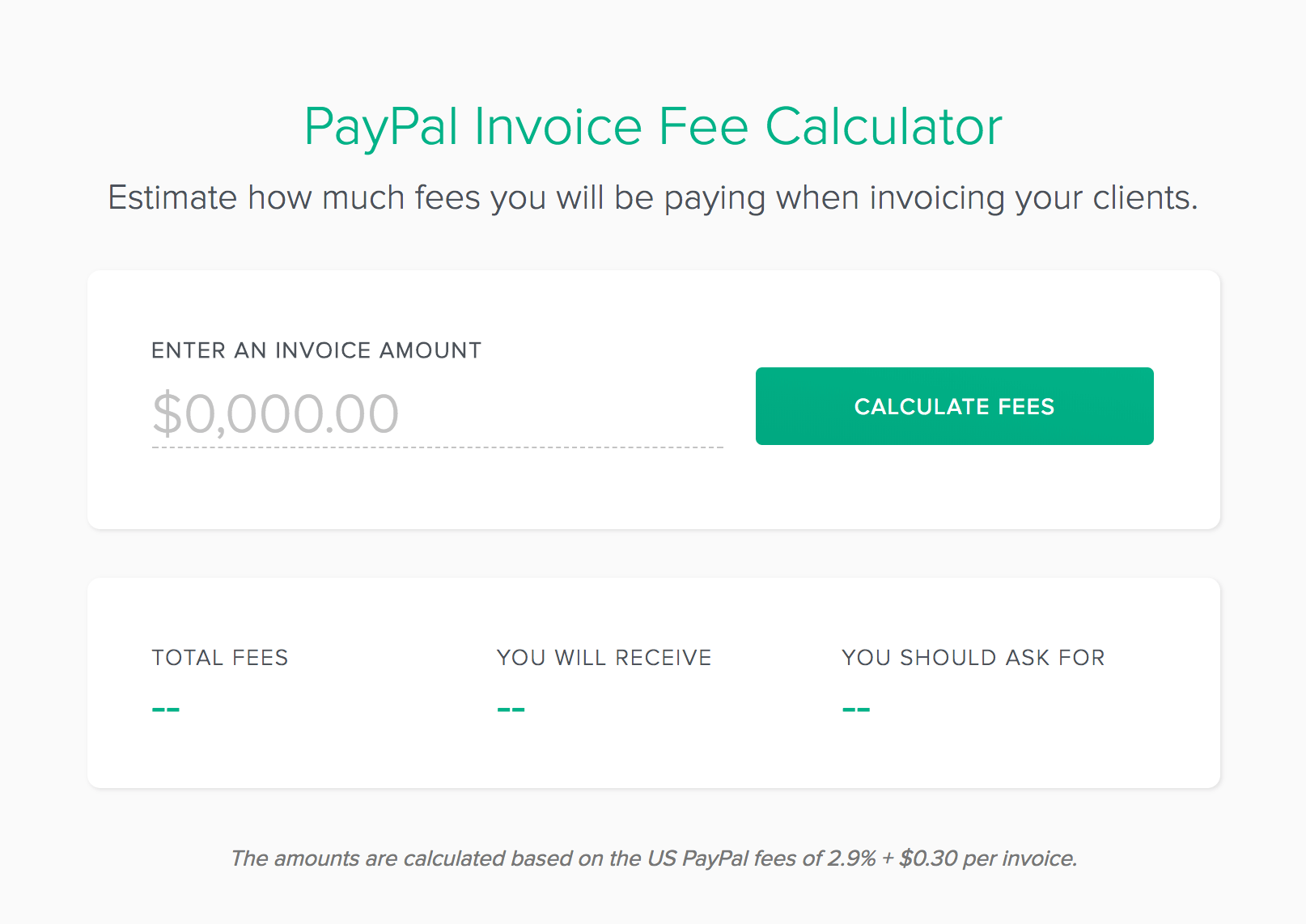
Freelancers doing smaller, more frequent transactions will feel the fees more than those doing bigger sales, due to the per-transaction fee. PayPal considers smaller sales merchants with a “micropayment” fee scale for sales under $10.
These sales are subject to a fee of 5.0% of the transaction amount plus a fixed fee based on the currency ($0.05 for sales in the U.S.). This means you can save money on smaller sales. Take this into account before deciding to use PayPal for freelance work.
PayPal pros for freelancers
PayPal is widely recognized and accepted. Billing software services have PayPal integrated into their design, so it’s easy to send an invoice and have your payments go directly to your PayPal account. Since PayPal is also a widely used form of consumer payment, you can use the same PayPal account to accept payments, as well as make purchases related to your business (without any additional fund transferring.)
PayPal also has some innovative credit and funding options for small businesses, including their PayPal MasterCard credit account and their PayPal Business Loans. The PayPal Business loan requires no credit checks and is based on past sales. You can apply for and be approved for a line of credit to fund your business, and pay back PayPal directly with a share of each sale until your loan is paid in full (plus fees.)
PayPal’s merchant offerings also offer customer financing. By accepting PayPal payments, your store can invite customers to buy your services via PayPal credit, ensuring you get paid right away. PayPal handles all the financing between customer and PayPal. PayPal users can get their funds transferred to a qualified external account in as little as one business day.
PayPal is also one of the easiest processors to set up. They have a wide range of tools and integrations that play well with most vendor sites and invoicing software solutions. Their ready-made assets and buttons carry the widely-recognized PayPal branding that customers have come to know and trust over the years. Even if you don’t decide to use these tools (or even send an invoice), their easy freelancer payment links make accepting money from clients worldwide easy via PayPal.Me.
PayPal cons for freelancers
PayPal, while more affordable for micro-payments, has a few add-on charges that could be cumbersome for start-up owners, usually charged as a flat monthly fee. These fees could add up to $50 or more for services that Stripe offers as standard.
PayPal does not currently accept ApplePay, which Stripe does.
PayPal is also notoriously bad about data portability. As of now, you cannot move all of your customer data over to another payment processor. If you have several recurring retainer charges through them, you’ll have to stop and restart all of those authorizations with a new provider. PayPal won’t let you have that data.
This company usually gets the highest praises for customer support, even though they tend to lean on the side of the client in dispute issues. Their team is usually reachable a number of ways (including phone and online), and their large customer support team has handled most every situation. Some freelancers have also complained that PayPal takes customers away from websites when shopping. Since PayPal payments have to be processed through their own browser window, this can be a confusing process for clients who don’t know to check for a new pop-up window.
Stripe explained for freelancers
So, you're wondering how much does Stripe charge? Like Paypal, Stripe charges a standard 2.9% transaction charge, plus a $0.30 per transaction fee. They don’t give discounts for micropayments, but they also don’t charge monthly fees for things like recurring billing or fraud protection. They currently accept American Express for no additional charge, and they offer ApplePay acceptance.
Stripe pros for freelancers
Stripe is more affordable for standard business charges, since they don’t make service providers pay extra for things like fraud protection, American Express acceptance, or recurring billing. There is also no charge for refunds. Stripe lets you take your customer data with you to move to another payment provider. Unlike PayPal, your clients’ payment data is yours to take.
Calculate you Stripe fees using our free calculator.
Stripe doesn’t take clients away from your website or store when they buy. They can enter their info and keep on your site from transaction start to finish. This may provide a more seamless experience for the shopper, and you can keep your branding through the entire buying cycle.
Stripe cons for freelancers
Currently, Stripe may be too expensive for microtransactions. If you provide services costing $10 or less, it doesn’t make sense to pay the high per-transaction fees. Additionally, Stripe isn’t very user-friendly to set up. While it offers impressive functionality, the average freelancer not working in design or development may need professional help to integrate it into their invoicing processes. Some sellers have complained about Stripe’s unresponsive customer service; however, PayPal faces similar challenges due to its larger customer base.
Overall, Stripe is still relatively unknown to many circles. The trust factor that PayPal has earned just isn’t quite there for Stripe. It’s not unheard of for a freelancer to say that they accept Stripe, and a client to request to send money via PayPal, anyway. PayPal is what most people know, and the transition to something new may be met with difficulty. It also takes a bit longer to get access to your money. Stripe issues funds on a 2-day rolling cycle, so if you request to get your money on a Friday, it may seem like quite a long time to have it show up in your account.
Pricing breakdown for freelancers
standard transaction costs and fees
Stripe and PayPal both charge fees per transaction, but their pricing structures differ slightly. Stripe charges 2.9% plus 30 cents per successful card charge for domestic payments in the US in 2024. PayPal’s standard rate is similar at 2.9% plus 30 cents per transaction, making their base fees nearly identical for freelancers receiving payments within the same country.
Stripe offers a discounted rate of 2.7% plus 5 cents for transactions under $10, benefiting freelancers handling many small payments. PayPal does not provide this small payment discount, so freelancers with low-value invoices might save more using Stripe. Both platforms charge additional fees for instant transfers: Stripe charges 1%, and PayPal charges 1.5% for instant access to funds.
Freelancers should calculate their average invoice size and frequency to determine which platform’s transaction fees align better with their payment habits. For example, a freelancer invoicing $500 monthly with a few small payments might find Stripe’s tiered pricing more cost-effective. Testing both platforms with your typical payment volume can clarify which standard fees impact your bottom line less.
international and cross-border transaction fees
For freelancers working with clients abroad, international fees can significantly affect net income. Stripe charges an additional 1% fee on top of the standard rate for cross-border transactions, plus a 1% currency conversion fee if currency exchange is involved. PayPal’s international fees are higher, typically adding 4.4% plus a fixed fee based on the currency received, making it more expensive for freelancers with many overseas clients.
Stripe’s transparent international pricing is easier to predict, especially when combined with its automatic currency conversion tools. PayPal’s fees vary depending on the country and payment method, which can lead to unexpected costs. For example, receiving payments from Europe via PayPal might cost a freelancer up to 6.9% per transaction, including currency conversion and cross-border fees.
Freelancers should review their client locations and expected payment currencies to choose the platform with the lowest international fees. Using Stripe’s multi-currency support can reduce conversion costs, while PayPal may be preferable for freelancers with fewer international transactions due to its widespread acceptance. Always factor in these fees when setting your rates for global clients.
additional fees and hidden costs to consider
Beyond transaction fees, freelancers must be aware of extra charges that can add up. Stripe charges $15 for chargebacks, but refunds do not incur fees, which helps freelancers manage disputes without losing money on the original transaction cost. PayPal also charges $20 for chargebacks and keeps the original fee even if the payment is refunded, increasing potential costs.
Both platforms offer optional services that come with fees. For example, Stripe’s Billing and Connect products have additional monthly charges and usage fees, which freelancers using subscription models or marketplaces should consider. PayPal offers invoicing and seller protection at no extra cost but charges for currency conversions and instant transfers, which can be costly if used frequently.
Freelancers should audit their payment workflows to identify any hidden or optional fees. For instance, if you frequently refund clients or handle disputes, Stripe’s no-fee refunds policy can save money. Conversely, if you rely on PayPal’s buyer and seller protections, the extra fees might be justified. Understanding these nuances helps freelancers avoid surprises and budget accurately for payment processing.
Global reach and support for international freelancers
Availability in countries and regions
Stripe is available in over 45 countries as of 2024, including major markets like the US, UK, Canada, Australia, and much of Europe. However, its presence in regions like Africa and parts of Asia remains limited. This can restrict freelancers based in those areas from fully utilizing Stripe's services.
PayPal, on the other hand, supports over 200 countries and territories worldwide, making it one of the most accessible payment platforms for freelancers globally. This broad reach means freelancers in more remote or developing markets can receive payments without needing alternative solutions. For example, freelancers in countries like Nigeria or the Philippines can use PayPal to invoice clients abroad, whereas Stripe might not be available.
When choosing between Stripe and PayPal, freelancers should verify whether their country is supported by checking each platform’s official country list. This step ensures smooth payment processing and avoids delays caused by unsupported regions. For those in unsupported countries, PayPal often remains the more viable option due to its wider global footprint.
Currency support and conversion fees
Currency support is crucial for freelancers dealing with clients across different countries. Stripe supports over 135 currencies, allowing freelancers to accept payments in their client’s local currency and receive payouts in their preferred currency. This flexibility helps reduce confusion and improves client experience. Stripe’s currency conversion fees typically range around 2% above the mid-market rate as of 2024, which is competitive for international transactions.
PayPal supports 25 currencies for sending and receiving payments, which is fewer than Stripe but still covers the most commonly used currencies globally. PayPal’s currency conversion fees in 2024 can be higher, often around 3-4%, depending on the country and transaction type. This difference can add up for freelancers with high transaction volumes or large payments.
Freelancers should calculate potential currency conversion costs based on their typical client locations and payment sizes. Stripe might save money on conversions for freelancers with clients using less common currencies, while PayPal’s broader currency acceptance suits more straightforward transactions. Both platforms allow users to hold balances in multiple currencies. Understanding fee structures in 2024 helps optimize earnings.
Customer support and dispute resolution for international users
Reliable customer support is essential for freelancers managing payments across borders. Stripe offers 24/7 email and chat support in English, with phone support available in select countries. Their support portal includes detailed guides tailored to international payments, helping freelancers navigate tax compliance and currency issues. However, some users report longer wait times during peak hours.
PayPal provides phone and email support in multiple languages, reflecting its global user base. It also has a dedicated Resolution Center that helps freelancers handle disputes, chargebacks, and unauthorized transactions. This feature is particularly valuable for freelancers working with new or international clients where payment risks can be higher.
For freelancers, choosing a platform with strong international support leads to faster resolution of payment issues and less downtime. Test each platform’s support responsiveness before committing to save time and stress. Keep documentation of transactions and communications to streamline dispute resolution regardless of the platform.
Developer experience and customization options
api quality and integration complexity
Stripe offers a highly regarded API known for its clear documentation and extensive functionality, making it a favorite among freelancers who want deep integration. Its RESTful API supports a wide range of payment scenarios, including subscriptions, one-time payments, and marketplace payments. Stripe’s API uses consistent JSON responses and provides detailed error messages, which simplifies debugging and speeds up development.
PayPal’s API has improved significantly but remains more fragmented, with different endpoints for classic and REST APIs. This can increase complexity, especially for freelancers integrating multiple PayPal services like PayPal Checkout and PayPal Payouts. PayPal’s sandbox environment is robust, but developers often report a steeper learning curve due to inconsistent documentation and legacy API versions.
For freelancers building custom payment flows, Stripe’s API typically reduces development time by 20-30% compared to PayPal, according to recent developer surveys. Choosing Stripe can streamline your setup. PayPal may require more time to navigate its multiple APIs. Start by exploring Stripe’s API reference and testing simple payment intents to assess fit for your project.
customization and white-labeling capabilities
Stripe excels in customization, allowing freelancers to fully tailor the payment experience. With Stripe Elements and Stripe Checkout, you can embed customizable payment forms that match your brand’s look and feel. This white-label approach helps maintain a professional appearance without redirecting customers to external pages, which can improve conversion rates by up to 15%.
PayPal offers fewer customization options. Its standard checkout buttons are easy to implement but limited in design flexibility. PayPal’s Smart Payment Buttons provide some customization but still redirect users to PayPal’s site, which may disrupt the user experience. For freelancers prioritizing brand consistency, PayPal’s customization may feel restrictive.
To enhance your brand’s payment flow, test Stripe’s Elements with your website’s CSS for seamless integration. If you prefer a simpler setup and don’t mind redirecting customers, PayPal’s buttons can be a quick solution. Consider your client base and whether a fully branded checkout influences your sales before deciding.
developer tools and debugging support
Stripe provides a comprehensive dashboard with real-time logs, detailed event histories, and error tracking, which helps freelancers quickly identify and fix issues. Its CLI tool allows developers to test webhooks locally and simulate payment flows, significantly speeding up debugging. Stripe’s active developer community and regular updates ensure ongoing support and improvements.
PayPal’s developer tools include a sandbox environment and API logs accessible through the developer portal. While functional, these tools are less integrated and can require switching between multiple interfaces. PayPal’s debugging messages are sometimes vague, which can extend troubleshooting time, especially for complex integrations.
Freelancers should leverage Stripe’s CLI and dashboard to reduce downtime and improve reliability. If you choose PayPal, allocate extra time for testing and consider using third-party tools like Postman to manage API calls. Effective debugging tools are crucial for maintaining smooth payment operations and client satisfaction.
Pros and cons of PayPal and Stripe
Advantages of using PayPal for freelancers
PayPal offers freelancers a quick and widely recognized way to receive payments globally. Its user-friendly interface and instant payment notifications make it easy to track incoming funds. In 2024, PayPal supports over 25 currencies, which helps freelancers working with international clients avoid complex currency exchanges manually.
Another key benefit is PayPal’s integration with many online marketplaces and invoicing platforms like HelloBonsai and QuickBooks. This streamlines payment collection and bookkeeping, saving freelancers time. Additionally, PayPal provides buyer and seller protection, which can reduce disputes and chargebacks for freelancers.
To maximize PayPal’s advantages, freelancers should link their accounts to a business bank account to avoid personal account limits. Enable PayPal’s invoicing feature to create professional invoices and track payments efficiently. These steps help freelancers maintain smooth cash flow and better financial management.
Drawbacks of PayPal for freelancers
PayPal charges a standard fee of 2.99% plus $0.49 per transaction for domestic payments in 2024, which can add up for freelancers with many small transactions. International payments incur higher fees, often reaching 4.4% plus a fixed fee depending on the currency. This can reduce overall earnings for freelancers working globally.
Another limitation is that PayPal accounts can be frozen or limited without prior notice if unusual activity is detected. This risk can disrupt cash flow unexpectedly, which is critical for freelancers relying on timely payments. PayPal’s customer support can also be slow to resolve these issues, adding frustration.
Freelancers should monitor their PayPal account activity closely and avoid sudden large transactions to minimize freeze risks. Keep backup payment methods available, such as Stripe or direct bank transfers, to ensure continuous payment access.
Advantages of using Stripe for freelancers
Stripe is favored by freelancers for its customizable payment solutions and transparent pricing. In 2024, Stripe charges 2.9% plus 30 cents per successful domestic transaction, which is competitive and consistent. It also supports over 135 currencies, making it a strong choice for freelancers with international clients.
Stripe’s API allows freelancers to integrate payments directly into their websites or apps, providing a seamless checkout experience. Platforms like HelloBonsai and Squarespace offer built-in Stripe integrations, enabling automated invoicing and subscription billing. This flexibility helps freelancers scale their businesses efficiently.
To leverage Stripe’s benefits, freelancers should explore its dashboard features, such as real-time analytics and automated tax calculations for 2024. Using Stripe Tax simplifies compliance with state-specific sales tax laws, reducing administrative burdens and avoiding penalties.
Drawbacks of Stripe for freelancers
Stripe requires a more technical setup compared to PayPal, which can be challenging for freelancers without coding experience. While many platforms offer plug-and-play Stripe integrations, custom implementations may require hiring a developer, increasing upfront costs.
Another downside is that Stripe holds funds for up to 7 days for new accounts or high-risk transactions, which can delay access to payments. This hold period can impact freelancers who depend on immediate cash flow to cover expenses. Additionally, Stripe’s dispute resolution process can be complex and time-consuming.
Freelancers should plan for the initial setup time and consider using third-party tools like Zapier to connect Stripe with invoicing software. Keeping a cash reserve can help manage delayed payouts, ensuring business operations continue smoothly during hold periods.
Which payment platform is better for freelancers: Stripe or PayPal?
Most freelancers can use both processors. Since it’s free to join both and fees apply only when you make money, the risk is minimal. Depending on your services, you may find one works best in some situations while the other is useful for special projects or certain client types.
PayPal is more widely recognized, but you can educate clients on Stripe’s benefits. The right choice may be a mix of both with conversations explaining your methods. Invoice clients using your preferred payment processor and update your approach as needed to keep your business profitable.
Both options are integrated with Bonsai for you to manage your invoicing with ease. Explore that and other features (such as submitting proposals, drafting contracts, and tracking time) by signing up for a free trial.


'%3e%3cg id='Final-Copy-2_2_' transform='translate(1275.000000, 200.000000)'%3e%3cpath class='st0' d='M7.4,12.8h6.8l3.1-11.6H7.4C4.2,1.2,1.6,3.8,1.6,7S4.2,12.8,7.4,12.8z'/%3e%3c/g%3e%3c/g%3e%3c/g%3e%3cg id='final---dec.11-2020'%3e%3cg id='_x30_208-our-toggle' transform='translate(-1275.000000, -200.000000)'%3e%3cg id='Final-Copy-2' transform='translate(1275.000000, 200.000000)'%3e%3cpath class='st1' d='M22.6,0H7.4c-3.9,0-7,3.1-7,7s3.1,7,7,7h15.2c3.9,0,7-3.1,7-7S26.4,0,22.6,0z M1.6,7c0-3.2,2.6-5.8,5.8-5.8 h9.9l-3.1,11.6H7.4C4.2,12.8,1.6,10.2,1.6,7z'/%3e%3cpath id='x' class='st2' d='M24.6,4c0.2,0.2,0.2,0.6,0,0.8l0,0L22.5,7l2.2,2.2c0.2,0.2,0.2,0.6,0,0.8c-0.2,0.2-0.6,0.2-0.8,0 l0,0l-2.2-2.2L19.5,10c-0.2,0.2-0.6,0.2-0.8,0c-0.2-0.2-0.2-0.6,0-0.8l0,0L20.8,7l-2.2-2.2c-0.2-0.2-0.2-0.6,0-0.8 c0.2-0.2,0.6-0.2,0.8,0l0,0l2.2,2.2L23.8,4C24,3.8,24.4,3.8,24.6,4z'/%3e%3cpath id='y' class='st3' d='M12.7,4.1c0.2,0.2,0.3,0.6,0.1,0.8l0,0L8.6,9.8C8.5,9.9,8.4,10,8.3,10c-0.2,0.1-0.5,0.1-0.7-0.1l0,0 L5.4,7.7c-0.2-0.2-0.2-0.6,0-0.8c0.2-0.2,0.6-0.2,0.8,0l0,0L8,8.6l3.8-4.5C12,3.9,12.4,3.9,12.7,4.1z'/%3e%3c/g%3e%3c/g%3e%3c/g%3e%3c/g%3e%3c/svg%3e)