





Project follow-up is all about checking how well the project outcomes hit the mark, spotting areas for improvement, and making sure objectives were met. It’s a key part of project management, involving assessment, monitoring, and evaluation of tasks, activities, milestones, and progress.
During follow-up, status updates are regularly reviewed and documented. This includes comparing the project plans with the actual progress. A thorough follow-up can uncover opportunities for improvement and corrective actions, helping manage future projects better.
Project follow-up introduction
Project follow-up is a crucial element of effective project management. It involves regularly sharing status updates to keep stakeholders informed about progress. After project completion, follow-up strategies include monitoring and evaluating outcomes to ensure objectives are met.
Often, follow-up leads to project improvement through thorough assessment. This stage also involves crucial documentation of tasks, activities, plans, and milestones.
What is project follow-up?
Project follow-up is essential in project management. It involves continuous monitoring and evaluation of activities, progress, and status updates. The main goal is to ensure tasks are executed according to plans and objectives are achieved.
Follow-ups also include post-completion assessments to measure outcomes, identify improvement areas, and maintain proper documentation. This helps detect potential issues early and facilitates swift corrective actions. Milestones serve as key markers for reviewing progress.
Key components of project follow-up
Project follow-up is a vital part of management. It involves continuous monitoring and evaluation of tasks, milestones, and activities to keep the project on track. Status updates are crucial for gauging progress and ensuring outcomes align with objectives.
At project completion, careful assessment identifies improvement areas. Consistent documentation throughout follow-up and post-completion is essential for records and learning for future plans.
Bonsai is a one-stop platform for creative and digital agencies, consultancies and professional service providers. Bonsai revolutionizes project management by simplifying workflows and enhancing team collaboration. Its user-friendly interface empowers users to effortlessly create, assign, and monitor tasks, ensuring everyone is aligned.

With real-time updates and notifications, team members are always informed, minimizing the risk of missed tasks or delays.
Here are some of the standout features that Bonsai offers:
- Integration with other project management tools to consolidate project-related information
- Detailed analytics and reporting tools to gain insights into team performance and task completion rates
- Real-time updates and notifications to keep team members informed and reduce missed tasks or delays
- User-friendly interface for easy task creation, assignment, and monitoring
- Task Management: Easily create, assign, and track tasks, keeping all team members informed of their responsibilities and deadlines.
- Real-Time Updates: Stay informed with notifications, reducing missed tasks or delays.
- Prioritization: Address critical tasks promptly by prioritizing based on urgency.
- Integration: Centralize project information by integrating with other tools.
- Analytics and Reporting: Gain insights into team performance and task completion.
- Resource Management: Optimize resource allocation with detailed reports.
- Workflow Automation: Save time by automating routine tasks like reminders and follow-ups.
- Collaboration Tools: Enhance team communication and coordination.
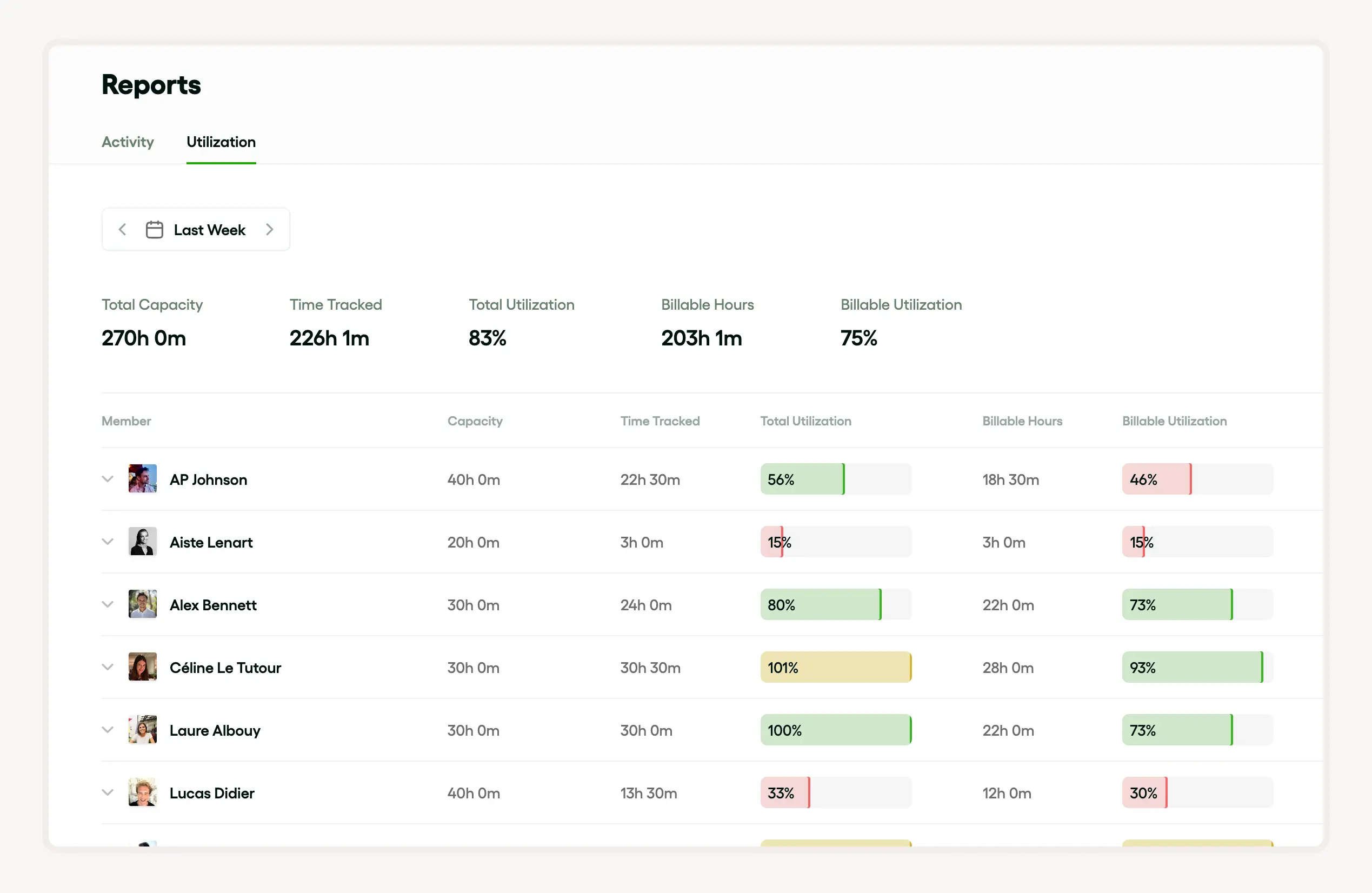
Bonsai seamlessly integrates with other project management tools, consolidating project-related information for convenient access. Its detailed analytics and reporting tools provide valuable insights into team performance and task completion rates. This enables managers to optimize resource allocation and achieve a more balanced workload.
By harnessing the capabilities of Bonsai, teams can boost productivity, consistently meet deadlines, and attain their project objectives more effortlessly.
Why project follow-up is important
Project follow-up is a key part of project management. It involves monitoring and evaluating activities to track progress towards objectives. This includes providing status updates and validating completion against plans.
This stage helps:
- Identify gaps for improvement.
- Ensure outcomes meet quality standards.
- Maintain proper documentation for reference.
It’s essential for tracking milestones, tasks, and overall assessment.
How project follow-up ensures success
To ensure success, a strategic approach with a robust management process is crucial. This involves planning objectives, setting up a tracking system, and executing tasks according to plans.
Key elements like follow-up, status updates, and completion must be closely monitored. Regular monitoring and evaluation help improve project outcomes.
Accurate documentation is critical for referencing and mapping milestones and outcomes.
How to identify and address issues early with project follow-up
Effective management relies on identifying and addressing issues early. Regular follow-ups and status updates help track progress and pinpoint discrepancies affecting objectives. Monitoring and evaluating tasks, activities, and milestones ensure adherence to plans.
These steps assist in improvement, ensuring smooth completion. Detailed documentation and continual assessment keep everyone informed, mitigating risks and promoting success.
How project follow-up improves future projects
For improvement, timely status updates should be anchored in plans. This helps monitor progress, adjust activities, and aids successful completion and achieving objectives.
Meticulous documentation improves future projects, providing insights, assessment, follow-up opportunities, and identifying areas for improvement.
Including all tasks and milestones in monitoring and evaluation plans enables efficient tracking and control, enhancing overall management.
Project follow-up process steps
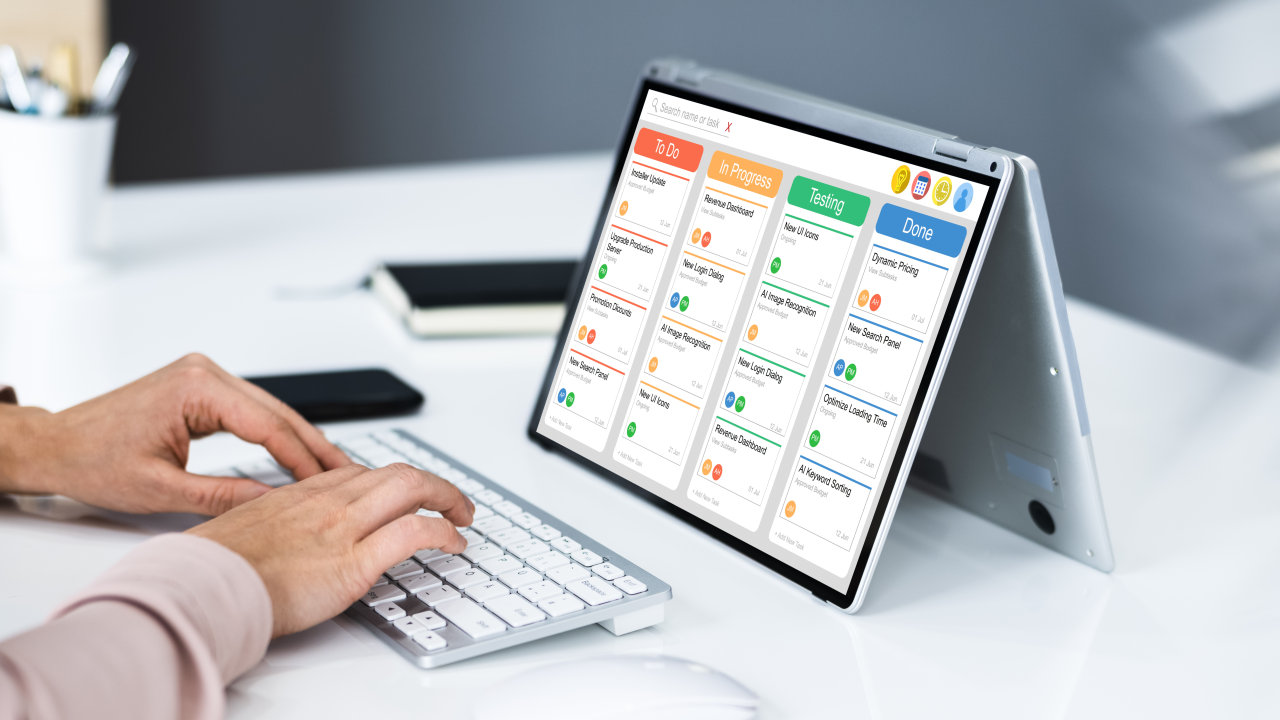
The project follow-up kicks off right after wrapping up the project. As part of project management, you plan monitoring and evaluation activities to check if the outcomes match the objectives. Proper documentation of all tasks and milestones is key.
Regular status updates help track progress, suggest improvements, and revise plans as needed. The follow-up includes a thorough assessment to gauge effectiveness and impact, helping prioritize future tasks and paving the way for new projects.
Step 1: Review project follow-up objectives and deliverables
First up, you need to ensure all objectives are met and any necessary improvements are made. This involves a deep dive into project activities, outcomes, and the overall management strategy.
Key tasks here include:
- Ensuring all objectives are met
- Making necessary improvements
- Conducting a deep dive into project activities and outcomes
- Reviewing the overall management strategy
- Monitoring and evaluating results against initial plans.
- Updating status and verifying completion through documentation.
- Checking milestones and assessing progress.
Step 2: Gather and analyze project follow-up data
Next, collect comprehensive data. Use management tools to track activities and provide concrete status updates, ensuring timely completion. This involves monitoring tasks and assessing progress against objectives.
Analyzing data helps identify potential improvement areas, ensuring desirable outcomes. Crucial documents like plans, follow-up reports, and milestone compilations are part of essential documentation. These form the basis for assessing effectiveness against the original plan.
Step 3: Conduct post-project follow-up evaluation
After completion, an in-depth evaluation is crucial for future improvements. This involves rigorous follow-up and detailed status updates to check if objectives were achieved. Key elements to evaluate include:
- Achievement of project goals
- Adherence to timelines
- Quality of deliverables
- Budget compliance
- Stakeholder satisfaction
- Milestones and activities.
- Outcomes versus initial plans.
- Progress of assigned tasks.
This evaluation aids in management, especially in monitoring and evaluating future projects, and helps create comprehensive documentation for reference.
Step 4: Communicate project follow-up findings and recommendations
Effective management means clear tasks, thorough documentation, and consistent status updates. Recommendations include:
- An active follow-up system to ensure objectives are met promptly.
- Establishing milestones to gauge progress and facilitate assessment for improvements.
- Adopting a comprehensive monitoring and evaluation process, focusing on outcomes in line with plans.
Best practices for project follow-up
When executing project follow-up, effective project management entails consistent status updates to keep all stakeholders informed. This can be done weekly or bi-weekly, depending on the nature of your project tasks and milestones. Clearly communicate project objectives and expected outcomes to every team member involved.
Another good practice is maintaining detailed documentation, allowing any changes or modifications made during project progress to be noted. This documentation aids in assessment, helping to identify areas of improvement. Through rigorous monitoring and evaluation of project activities, you can ensure successful project completion.
How to establish a project follow-up schedule
In the realm of project management, it's crucial to establish a follow-up schedule to gauge project progress. This regular monitoring and evaluation can fortify project objectives and keep all team members aligned.
The follow-up schedule should outline status updates at different project milestones. This will motivate teams to complete project tasks within stipulated time frames, aid in improvement, and provide substantial documentation.
Effective project follow-up ensures project completion adheres to initial plans, meeting outcomes and fostering a culture of accountability and productivity amongst teams.
How to engage all stakeholders in project follow-up
Effective project management involves engaging all stakeholders in the project progress. This can be achieved through consistent follow-up, giving status updates, and celebrating project completion. It ensures smooth project activities, attainment of objectives, and excellent outcomes.
In monitoring and evaluation, project plans and tasks are closely scrutinized for improvement. Emphasis is also given to project milestones, critical assessment, and thorough documentation, as these are crucial elements in the project management lifecycle.
Tools to use for project follow-up
Effective project management relies on the accurate utilization of the right tools and techniques. This includes consistent follow-up and providing regular status updates to stakeholders. These crucial activities will help ensure project outcomes align with the objectives.
Further, monitoring and evaluation are essential components for improvement. They offer insights into project progress, and facilitate strategic adjustments to project plans, tasks, and milestones as necessary. They also contribute to comprehensive documentation, which plays a pivotal role in project completion and post-project assessment.
Project follow-up templates
Using a Gantt chart template for clear project timelines
A Gantt chart template helps you track project progress by visualizing tasks against a timeline. It shows start and end dates, dependencies, and milestones, making it easier to identify delays and adjust plans promptly.
For freelancers and small business owners, using Excel or Google Sheets Gantt chart templates can be a cost-effective option. Tools like Smartsheet and Microsoft Project also offer customizable Gantt templates with automation features. For example, Smartsheet’s 2024 template includes color-coded task bars and progress percentages that update as you input data.
To implement this, start by listing all project tasks with deadlines, assigning responsible team members, and updating the chart weekly. This keeps everyone aligned and highlights bottlenecks early. It improves your project follow-up efficiency.
Leveraging task list templates to monitor daily activities
Task list templates provide a straightforward way to track daily or weekly project activities. They let you break down complex projects into manageable steps and check off completed items, ensuring nothing falls through the cracks.
Popular tools like:
- Trello
- Asana
- Todoist
offer built-in task list templates that you can customize by priority, due date, and assignee. For example, Asana’s 2024 task list template allows you to add subtasks and set reminders, which helps freelancers stay on top of deadlines without manual follow-up.
To use a task list template effectively, update it at the end of each workday and review pending tasks during your weekly project follow-up meetings. This habit improves accountability and keeps projects moving forward smoothly.
Implementing follow-up email templates to maintain communication
Follow-up email templates streamline communication with clients and team members after key project milestones. They save time and ensure consistent messaging, which is crucial for maintaining professionalism and clarity.
In 2024, many freelancers use tools like Gmail templates or platforms such as HubSpot and Mailchimp to create reusable follow-up emails. A typical template includes a polite greeting, a summary of completed tasks, pending items, and a call to action for the next steps. For example, a template might say, "I wanted to update you on the project status and confirm the deadline for the upcoming deliverable."
To maximize effectiveness, personalize each email with specific project details and send follow-ups within 48 hours after meetings or deliverable submissions. This practice fosters trust and keeps all parties aligned throughout the project lifecycle.
Role of project management software in project follow-up
Following-up on a project is an essential step. Using a BAC project management method, for example, can offer a concrete and organized way to track and manage progress. It is important to systematically monitor the tasks to ensure success.
As we delve deeply into project follow-up, we must note the significant benefits of certain methods in managing tasks efficiently. Among these methods, a notable one can be learned from the Mocha Project Management approach. Learning how to apply these strategies can greatly enhance your project realization process.
Project management software is a game-changer for follow-up. It gives real-time updates, tracks progress, and ensures timely completion. It helps assign tasks, monitor activities, and meet objectives.
It organizes plans, marks milestones, and keeps documentation in check.
This software also aids in assessment, spotting improvement areas, and implementing strategies. It provides crucial insights on outcomes, making it essential for overseeing all project aspects.
Advantages of using Bonsai for project follow-up
Bonsai is a powerhouse for follow-up, boosting management and productivity. It’s flexible, fitting various project types and sizes, perfect for professional service providers and large teams. Its user-friendly interface makes task tracking and milestone setting a breeze, keeping everyone aligned.
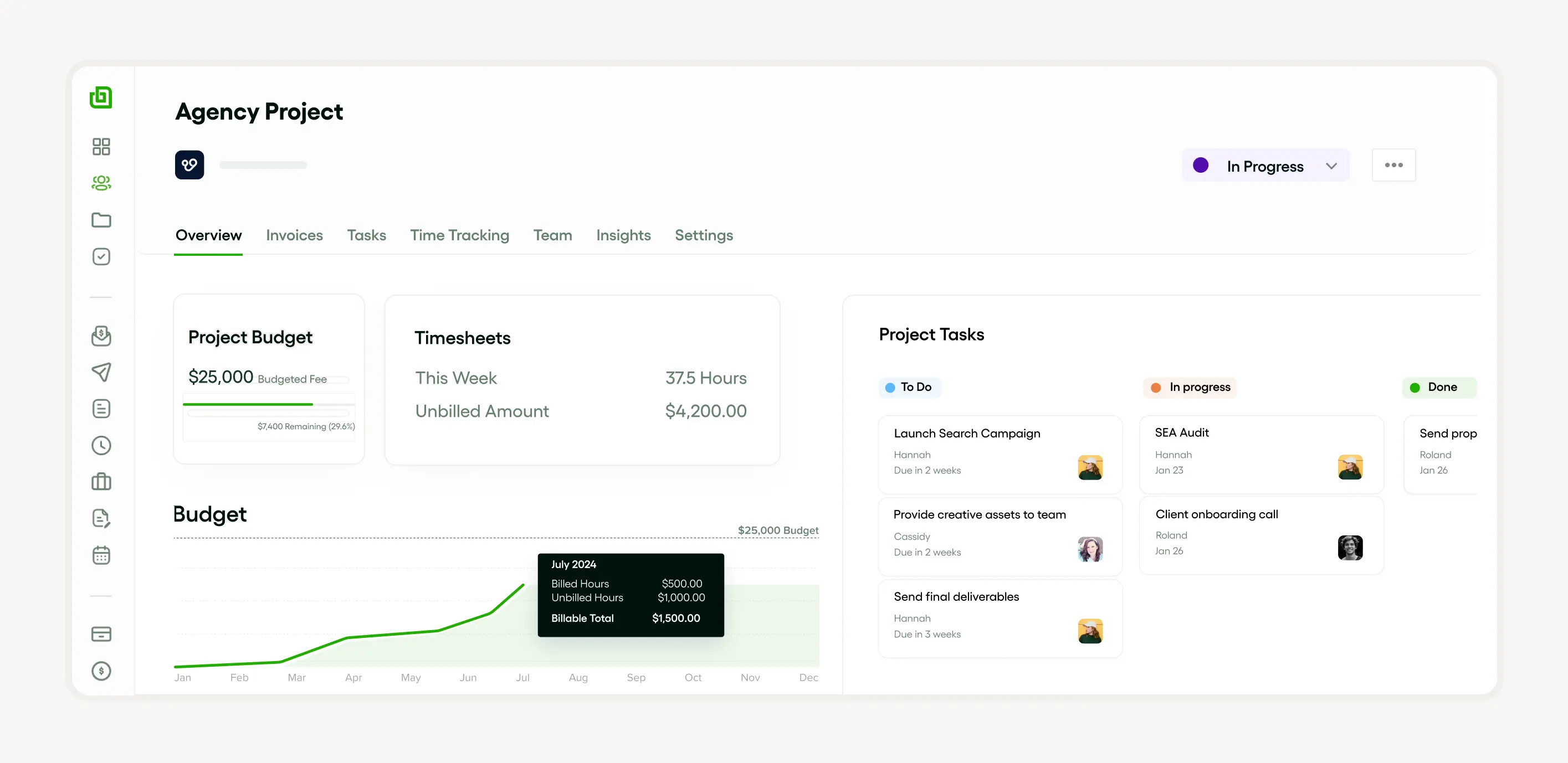
Integration is a big plus. Bonsai connects with other tools like time tracking or financial software, centralizing all activities. This cuts down on multiple apps, saving time and reducing confusion.
Real-time updates and notifications keep everyone in the loop about changes, deadlines, and responsibilities. This transparency and accountability maintain momentum and morale.

Customizable templates for proposals, contracts, and invoices speed up admin tasks, letting you focus on the project. Its reporting features offer insights into project health, budgeting, and resource allocation, aiding strategic decisions.
Bonsai’s features make it indispensable for effective follow-up, ensuring projects stay on track, within budget, and meet stakeholder satisfaction.
Benefits of using Asana for project follow-up
Asana streamlines management by tracking progress and status updates. It aids in monitoring and evaluating activities, ensuring alignment with objectives and plans. It provides a clear view of milestones and helps with documentation.
Asana speeds up completion by streamlining task delegation and management. It also offers a platform for assessment, identifying and addressing improvement areas promptly, leading to favorable outcomes.
How Trello facilitates effective project follow-up
Trello’s visual layout enhances task, activity, and milestone visibility. It aids follow-up by offering a clear snapshot of progress, allowing team members to update tasks effectively. Updates include marking completion, commenting, and attaching documentation.
Trello provides real-time updates, showing completion levels and helping assess outcomes against objectives. Its tools for monitoring and evaluation facilitate improvement, ensuring clear and precise plans.
Using Basecamp for streamlined project follow-up
Basecamp excels in follow-up from updates to completion. It tracks progress and offers a platform for monitoring and evaluating outcomes.
Basecamp simplifies setting objectives, assigning tasks, and scheduling activities to align everyone with plans. It provides a robust system for documentation, assessment, and suggesting improvements, making it a strong ally for achieving milestones.
Advantages and disadvantages of project follow-up
advantages of project follow-up
Project follow-up improves accountability by keeping team members aligned with deadlines and deliverables. Regularly checking progress makes it easier to spot delays early, allowing adjustment of plans before small issues become costly problems. Using tools like Trello or Asana in 2024 helps freelancers track task completion in real time, ensuring nothing falls through the cracks.
Enhanced communication is another key benefit. Follow-up meetings or updates encourage transparency among stakeholders, reducing misunderstandings. This is especially important for small business owners managing multiple clients or projects simultaneously. Setting weekly check-ins via Zoom or Microsoft Teams maintains a clear flow of information and quickly resolves questions or concerns.
Project follow-up supports continuous improvement. Reviewing what worked and what didn’t after each milestone provides valuable insights for future projects. Freelancers can use this feedback to refine workflows, while small businesses can optimize resource allocation. To maximize follow-up benefits, document lessons learned in tools like Notion or Evernote for easy reference.
disadvantages of project follow-up
Project follow-up can sometimes lead to micromanagement, which lowers team morale and productivity. Constant check-ins may make freelancers or employees feel distrusted, causing stress and reducing creativity. To avoid this, limit follow-ups to key milestones and focus on outcomes rather than minute details.
Frequent follow-ups, especially if poorly structured, consume valuable hours that could be spent on actual project work. Small business owners should balance the frequency and depth of follow-ups by using automated status updates from tools like Monday.com or ClickUp. This reduces manual effort while keeping them informed.
Excessive follow-up can create information overload. When updates are too frequent or unfocused, important messages may get lost, leading to confusion rather than clarity. To prevent this, set clear agendas for follow-up meetings and use concise reporting formats such as dashboards or executive summaries, ensuring that communication remains efficient and actionable.
Conclusion: maximizing the value of project follow-up
Project follow-up is crucial in management. It involves monitoring and evaluating activities, providing updates, and ensuring completion. Regular follow-up ensures timely milestones and objective achievement. It also simplifies assessment and documentation of improvement areas systematically.


'%3e%3cg id='Final-Copy-2_2_' transform='translate(1275.000000, 200.000000)'%3e%3cpath class='st0' d='M7.4,12.8h6.8l3.1-11.6H7.4C4.2,1.2,1.6,3.8,1.6,7S4.2,12.8,7.4,12.8z'/%3e%3c/g%3e%3c/g%3e%3c/g%3e%3cg id='final---dec.11-2020'%3e%3cg id='_x30_208-our-toggle' transform='translate(-1275.000000, -200.000000)'%3e%3cg id='Final-Copy-2' transform='translate(1275.000000, 200.000000)'%3e%3cpath class='st1' d='M22.6,0H7.4c-3.9,0-7,3.1-7,7s3.1,7,7,7h15.2c3.9,0,7-3.1,7-7S26.4,0,22.6,0z M1.6,7c0-3.2,2.6-5.8,5.8-5.8 h9.9l-3.1,11.6H7.4C4.2,12.8,1.6,10.2,1.6,7z'/%3e%3cpath id='x' class='st2' d='M24.6,4c0.2,0.2,0.2,0.6,0,0.8l0,0L22.5,7l2.2,2.2c0.2,0.2,0.2,0.6,0,0.8c-0.2,0.2-0.6,0.2-0.8,0 l0,0l-2.2-2.2L19.5,10c-0.2,0.2-0.6,0.2-0.8,0c-0.2-0.2-0.2-0.6,0-0.8l0,0L20.8,7l-2.2-2.2c-0.2-0.2-0.2-0.6,0-0.8 c0.2-0.2,0.6-0.2,0.8,0l0,0l2.2,2.2L23.8,4C24,3.8,24.4,3.8,24.6,4z'/%3e%3cpath id='y' class='st3' d='M12.7,4.1c0.2,0.2,0.3,0.6,0.1,0.8l0,0L8.6,9.8C8.5,9.9,8.4,10,8.3,10c-0.2,0.1-0.5,0.1-0.7-0.1l0,0 L5.4,7.7c-0.2-0.2-0.2-0.6,0-0.8c0.2-0.2,0.6-0.2,0.8,0l0,0L8,8.6l3.8-4.5C12,3.9,12.4,3.9,12.7,4.1z'/%3e%3c/g%3e%3c/g%3e%3c/g%3e%3c/g%3e%3c/svg%3e)