




.webp)

.webp)
What is a video editor contract template?
Designed for freelancers, small studios, and clients, a video editor contract template is a reusable framework that anchors day-to-day work in reality. It lays out project scope, creative responsibilities, rights, and payment terms for video editing and motion work—from a quick social-media edit to a full animation sequence. The goal is to prevent misunderstandings and provide legal protection for both sides, whether it’s a single edit or an ongoing retainer.
Definition and purpose
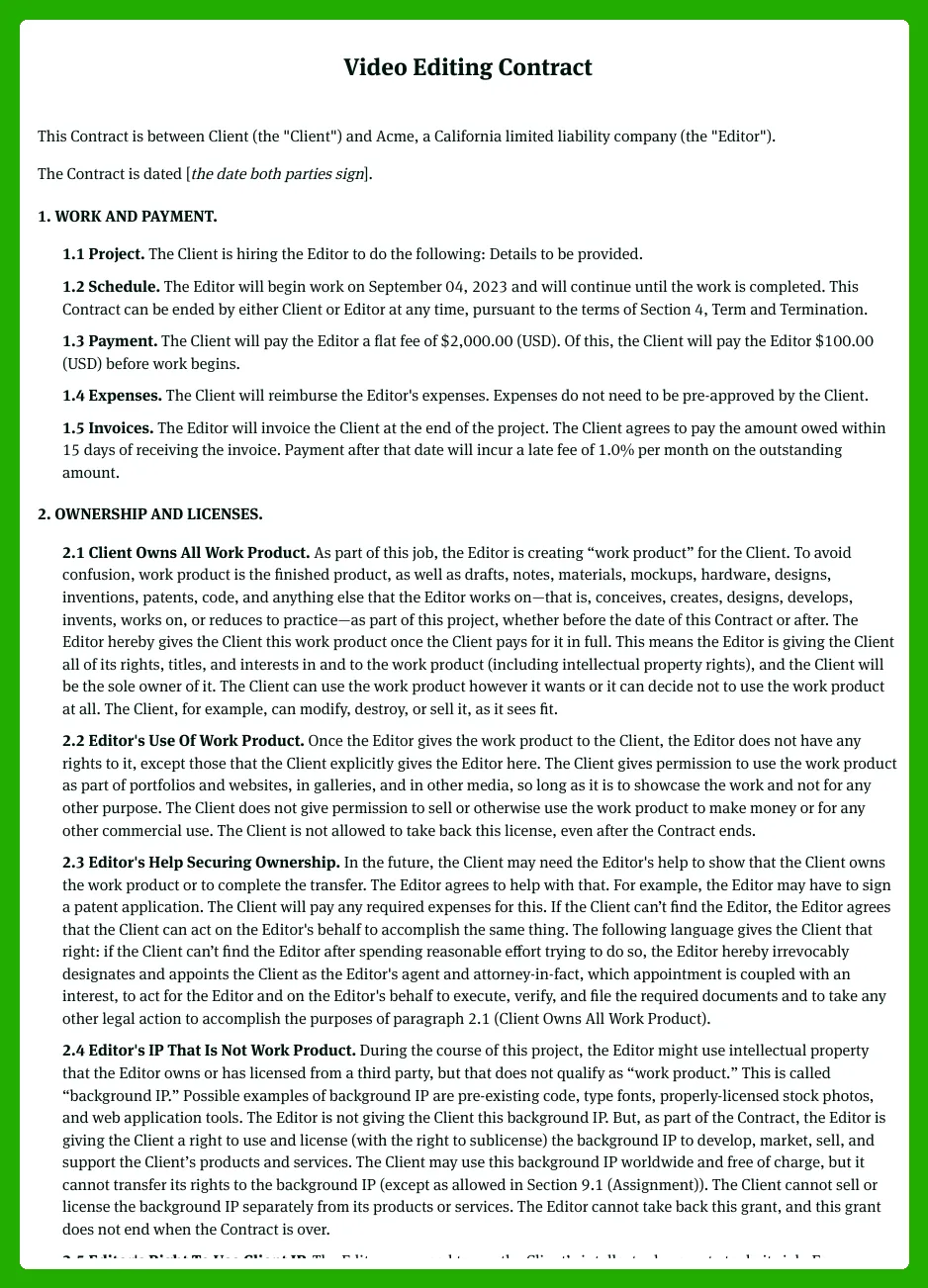
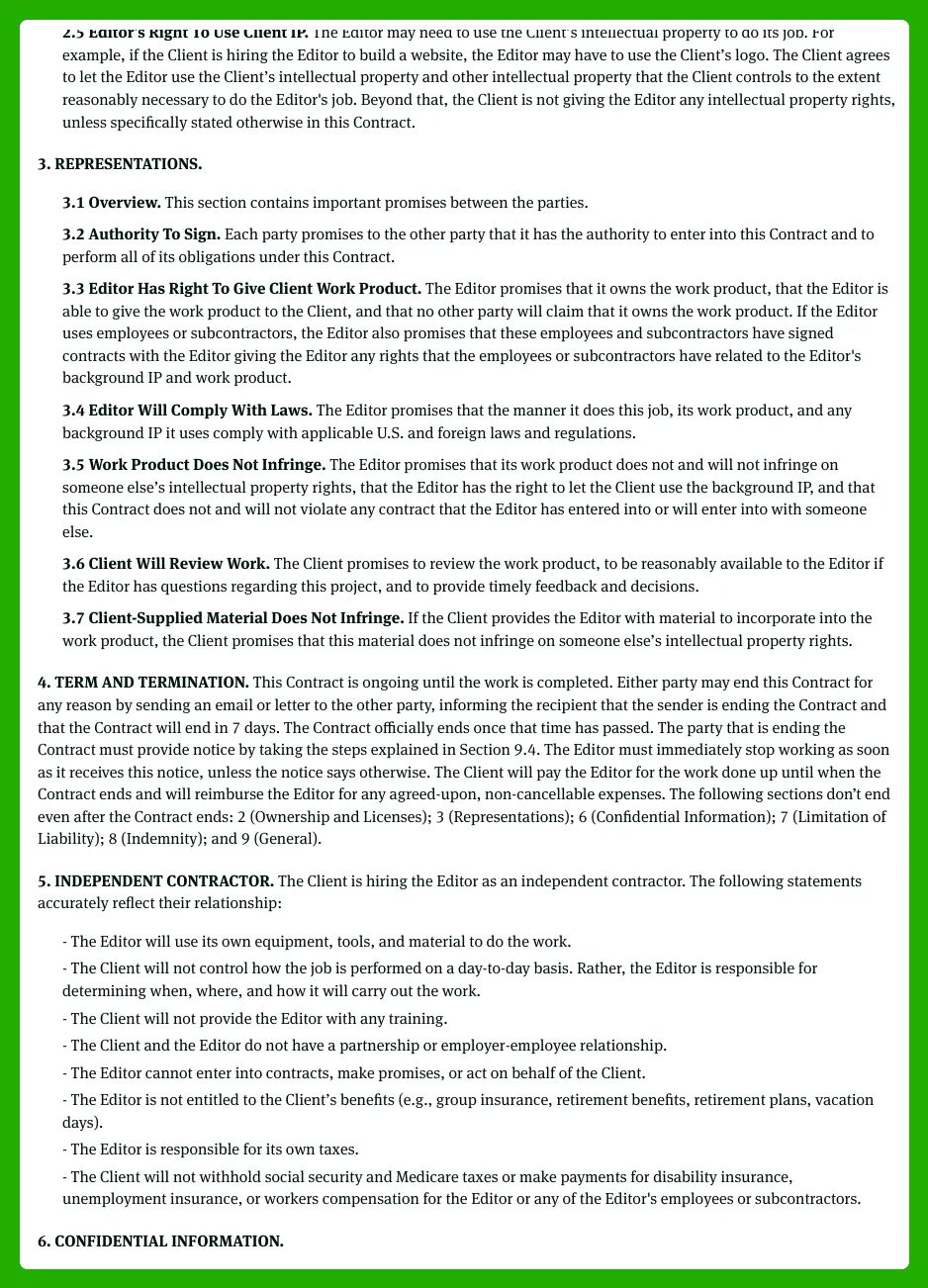
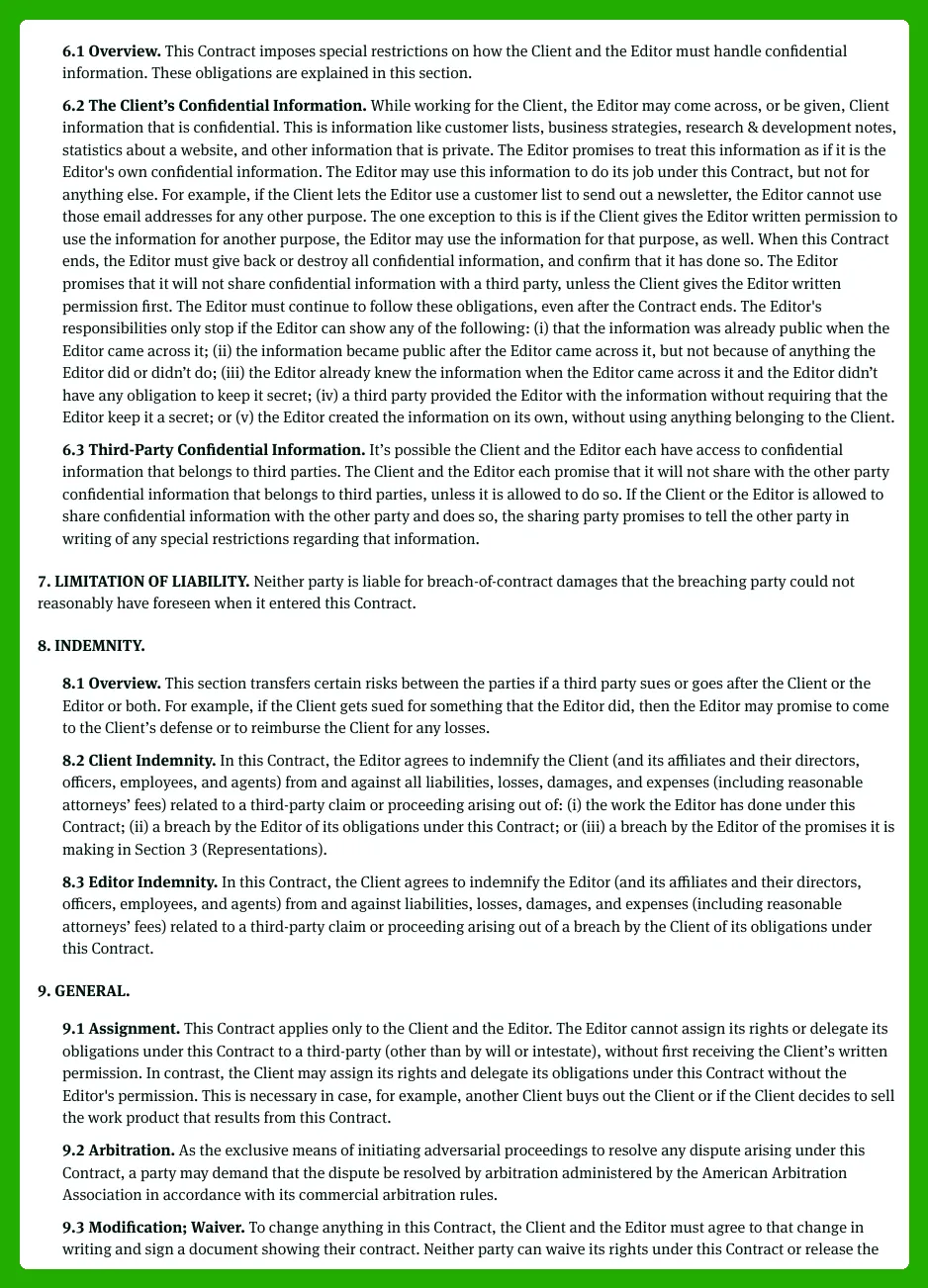
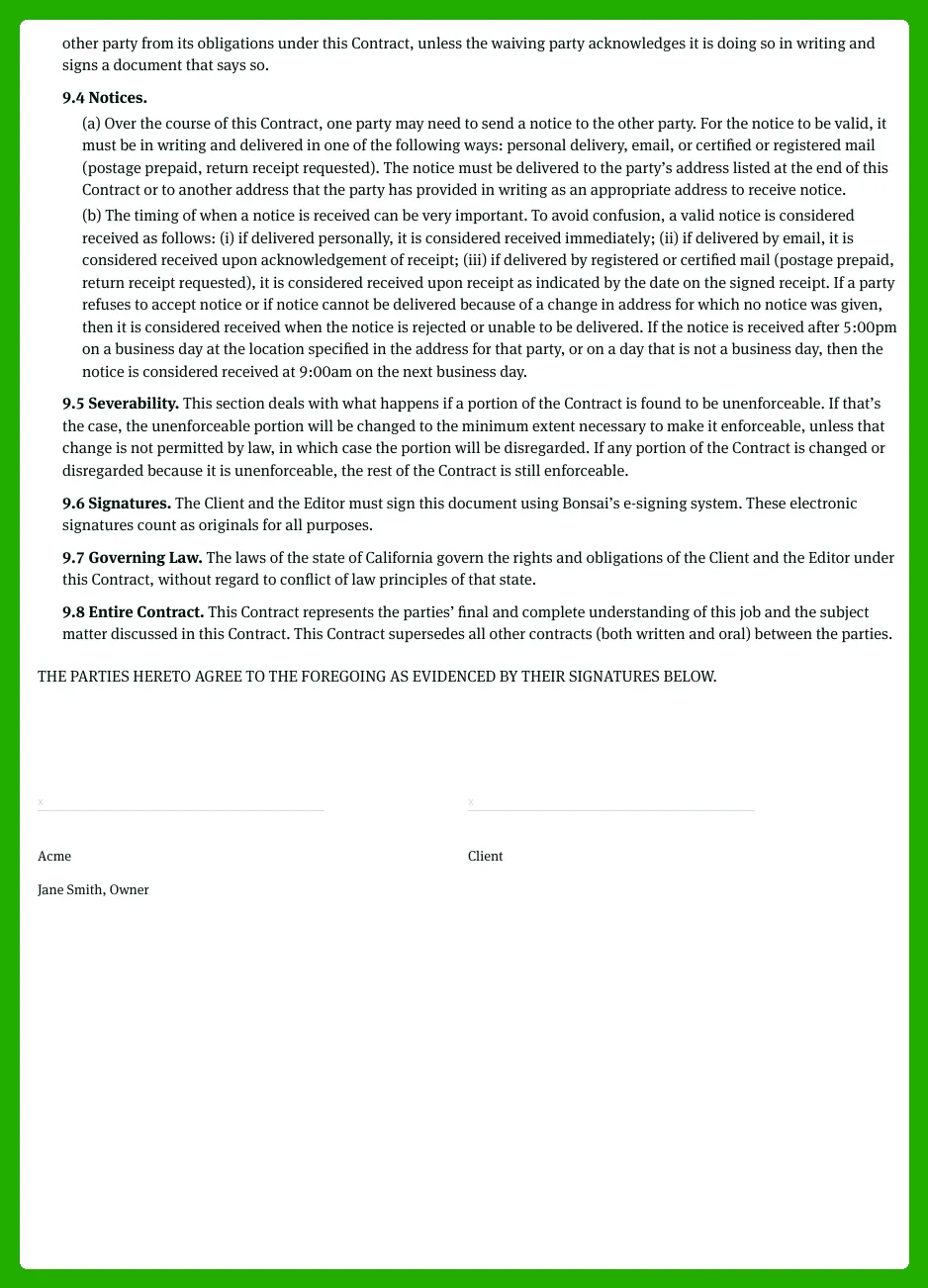
A video editing contract is a legally binding agreement between a client and a video editor or editing company.
This template acts as a pre-structured starting point that can be customized for social media edits, commercial spots, or animation projects. It clarifies who does what, when each deliverable is due, how much is paid, and who owns the final footage and project files. By including sections for revisions, delivery formats, and client approvals, it keeps everyone aligned from day one.
Because it covers ownership and licensing, it also clarifies whether the client gets ownership of the final edit, the source files, or both. This clarity reduces back-and-forth and makes it easier to renegotiate terms when the scope changes, such as swapping a social cut for a longer corporate video or adding motion graphics to a project.
When to use a video editor contract template
Use this template in scenarios where money, timelines, and intellectual property are at stake.
For new client projects, the template helps set expectations before work begins by listing deliverables, delivery formats (HD, 4K, ProRes), milestones, and payment terms. In 2026, net-30 terms are common, and many editors request 30% upfront with the balance due on delivery. Freelancers and studios often use invoicing platforms like Hello Bonsai, FreshBooks, or QuickBooks, with payments processed through PayPal or Stripe.
For recurring edits, subcontracting, or collaboration with animators, it ensures consistent terms, clear roles, and IP ownership across projects, and helps prevent scope creep by defining change processes. This approach keeps all parties aligned across multiple briefs and reduces renegotiation fatigue as projects evolve.
Key parties and roles in the agreement
Clarifying who appears in the contract helps prevent confusion and miscommunication.
In most video editor contracts, you’ll see the client (brand, agency, or individual), the service provider (freelancer, video editing agency, or animation contractor), and sometimes subcontractors. The template should label these roles consistently as “Client”, “Contractor”, “Video Editor”, “Studio”, or “Animation Partner,” and maintain that terminology throughout to reduce ambiguity about approvals, payments, and responsibility.
Maintaining uniform labels also makes it easier to add addenda or amend scopes without scrambling over who is who, which helps keep project communication clear from kickoff to final delivery.
Core components of a video editing contract
These are the non-negotiable building blocks you should include in a standard video editor contract. The core components help ensure everyone knows what to expect and how to handle common changes or disputes.
The core components cover everything from the project overview and scope of services to the project phases (preproduction, production, postproduction), as well as timeline, milestones, fees, and payment terms. They also address the independent contractor relationship, ownership and licensing, confidentiality, termination, indemnity, limitation of liability, governing law, and acceptance/signature blocks. Present these as a bullet list that will be expanded in later sections.
- Project overview
- Scope of services
- Project phases (preproduction, production, postproduction)
- Timeline and milestones
- Fees and payment terms
- Independent contractor relationship
- Ownership and licensing
- Confidentiality
- Termination
- Indemnity
- Limitation of liability
- Governing law
- Acceptance/signature blocks
These blocks will be expanded in later sections of the template.
How to outline the video editing project in your contract
This section guides you through crafting the front part of your contract, describing what the project is, what’s included, and how the editing workflow will unfold. Use a preproduction–production–postproduction framework as a model, drawing on common industry practice to set clear expectations. Focus on deliverables, file formats, the number of revisions, and responsibilities at each stage so both sides share the same understanding from day one.
To define the project overview and objectives
Begin with a concise narrative that defines the project type, target audience, intended platforms, and the overall goals. For example, specify whether the work is a promo video, a YouTube series, or an explainer animation, who you’re speaking to, and where the video will live. This creates a clear north star for both the client and editor before any technical details are discussed.
Include a simple summary paragraph plus a bullet list of primary deliverables to align expectations. For instance, you might describe the project as a 4-video promo series aimed at 18–34-year-olds on YouTube and social channels, with the goal of increasing signups by 20%. The deliverables could be three 60-second videos, one 15-second cutdown, and thumbnails for each video, with captions as a potential optional add-on. This framing helps everyone understand what success looks like and prevents scope creep as you move into production.
- Three 60-second videos
- One 15-second cutdown
- Thumbnails for each video
- Captions/subtitles (optional add-on)
By pairing a short, clear summary with concrete deliverables, the contract sets expectations early and keeps the project aligned with business goals as you transition to preproduction and beyond.
To describe preproduction responsibilities
Use a dedicated preproduction subsection to lay out tasks that fall under video editing or animation prep. This makes it clear what happens before editing starts, helping avoid delays later. Common items include script review, storyboard or animatic support, asset collection, brand guidelines, and project file organization.
Clarify which tasks belong to the client and which belong to the editor. The client typically provides raw footage, logo files, brand fonts, and music licenses, while the editor handles script notes, storyboard alignment, asset organization, and setting up project folders. This division helps prevent disputes over ownership and accountability, and keeps the project moving on schedule.
To ensure accountability, include a bulleted list of preproduction deliverables, dates, and required approvals. Asking for concrete dates reduces back-and-forth and creates a trackable path to kickoff readiness.
- Script review notes — due 3 business days after kickoff — client approval via Frame.io or email
- Storyboard or animatic concepts — due day 4 — client approval
- Asset collection plan (logos, fonts, music licensing info) — due day 5 — client approval
- Brand guidelines document — due day 5 — client approval
- Project file organization structure (folders, naming conventions) — due day 2 — editor confirmation
Having these deliverables locked in early helps set the pace for production and reduces back-and-forth while the team aligns on look, feel, and branding.
To specify production and source material
Even if the editor isn’t filming, the production section should clarify who handles what during the production phase. State whether the editor will capture any footage, record voiceovers, or create screen captures, and define how raw footage will be delivered. Also specify the expected formats and resolutions to avoid compatibility problems later.
Clarify delivery timelines for raw material and the editor’s responsibilities for backing up assets. For example, you might specify that all raw footage and VO will be delivered in 4K ProRes or 1080p H.264, with a backup copy stored on the editor’s server for 30 days after final delivery. Additionally, include a line that the client is responsible for securing all necessary footage rights and clearances, licenses, and releases. This helps protect both parties if a licensing issue arises later.
These details keep the production process transparent and reduce the chances of misunderstandings about who owns what and when assets are required.
To break down postproduction services and deliverables
The postproduction section should cover everything the freelance video editor or animation contractor will actually do. This includes editing, color correction, sound design, audio mixing, motion graphics, subtitles, versions for different aspect ratios, and exporting final files. Being explicit here helps ensure you capture every critical step from assembly to final delivery.
To make this tangible, include a table listing each deliverable, the file format, resolution, aspect ratio, and due date. This mirrors best practices from competitors’ project outlines and helps both sides track progress at a glance. For example, you may plan for a first edit, color pass, sound mix, motion graphics, subtitles, and final exports in multiple aspect ratios so the content works on YouTube, Instagram, and TikTok.
Deliverable Format Resolution Aspect Ratio Due Date Video edit draft (v1) MP4 1920x1080 16:9 7 days after asset delivery Color correction pass MP4 1920x1080 16:9 9 days after asset delivery Sound design and mix WAV (stems) / MP4 (final) — / 1920x1080 16:9 11 days after asset delivery Motion graphics and titles MOV/MP4 1920x1080 16:9 11 days after asset delivery Subtitles (SRT) SRT — — 10 days after asset delivery Versions for 9:16 and 1:1 MP4 1080p 9:16 / 1:1 13 days after asset delivery Final exports (multi-platform) MP4 (H.264/H.265) 1080p 16:9 / 9:16 / 1:1 14 days after asset delivery
By detailing each postproduction deliverable with formats, resolutions, and due dates, you create a clear, auditable workflow that aligns expectations with real-world output and platform requirements.
To set revision rounds and approval milestones
Define a clear feedback process that keeps edits efficient. State how many revision rounds are included, what counts as a revision (minor tweaks vs. a new creative direction), turnaround time for feedback, and how approvals are given (for example, via email, client portal like Frame.io, or a signed approval form).
Include language about how additional revisions or major scope changes will be billed to prevent endless edit cycles. A common approach is to offer two included revision rounds and bill any extra rounds at a rate such as $75 per hour or a daily rate if more convenient for your workflow. This creates predictable costs for both sides and helps protect timelines as the project evolves.
To include timelines, deadlines, and dependencies
Show how to tie deliverables to specific dates or relative deadlines, and clearly state dependencies. The editor’s timeline should hinge on the client delivering assets and providing timely feedback. A straightforward schedule helps everyone visualize the flow and stay on track.
Use a simple schedule table with milestones like asset delivery, first draft, revision rounds, and final delivery. This makes it easy to see how delays in asset delivery or approvals ripple through the project and gives you a concrete plan to adjust timelines if needed.
Milestone Deadline Dependency Asset delivery from client Day 0 ( kickoff ) Client provides raw footage, logos, fonts, and music licenses First draft delivered Day 7 Assets received; client feedback window opens Revision rounds complete Day 11 Client feedback provided within 48 hours per round Final delivery Day 14 All approvals secured; all assets and notes addressed
With a clear timeline and dependencies, you create a predictable path from kickoff to final delivery, making it easier to manage client expectations and keep the project on schedule.
How to define scope of services for video editing and animation
In freelance video work, the scope clause in a Video Editor Contract Template sets clear boundaries between what’s included and what isn’t. A precise scope helps prevent disputes and scope creep when projects grow from a simple edit to animation, VFX, or extra file handling. For 2026, prioritize clarity on editing, animation, file management, approvals, and delivery so both sides know exactly what to expect.
To list included video editing services
Start by listing all editing tasks included in the base fee in plain language.
- Importing and organizing footage
- Basic cutting and assembly of the rough timeline
- Transitions between scenes
- Color correction or basic color grading
- Simple titles and lower thirds
- Basic audio leveling and noise reduction
- Exporting final video files in the agreed formats
Use concrete language so clients clearly understand what’s included. For example, specify whether multicam edits are covered, how many rounds of revisions are included, and which deliverable formats (MP4, MOV) are guaranteed. Tailor the list to the project, and tie each item to a tangible deliverable, like a “final rendered cut in 1080p MP4” or “one complete edit per draft.” If a client expects additional editing beyond the base scope, outline how those changes will be billed, such as hourly rates or a fixed add-on price.
To cover animation and motion design work
Animation work can be included in the base scope or handled via a dedicated subsection or separate contract, especially for complex projects. For 2026 projects, decide early whether animation is part of the same contract or will use a separate animation contract template when complexity rises. This keeps timelines and budgets clear and avoids miscommunications later.
Define the types of animation and motion design you’ll handle, such as 2D explainer animations, logo animations, or motion graphics overlays. Clarify included tasks (storyboarding, illustration, rigging, and compositing) and whether stock assets or custom artwork are used. If the work is substantial, specify the process (concept art, rough animatics, approvals, final renders) and the tools you’ll employ (After Effects, Illustrator, Toon Boom Harmony, or Blender for 3D). You can reference a separate animation addendum or contract for large-scale projects to keep scope clean.
To differentiate out-of-scope services
Explicitly state what is not included to prevent misunderstandings later.
The following exclusions are common in most video contracts and should be listed clearly:
- Raw footage filming or videography (editor not acting as a videographer)
- Extensive visual effects beyond a defined threshold
- Original music composition or licensing beyond basic stock tracks
- Voiceover talent and recording services
- Translation, subtitling, or captioning services beyond a simple pass
- Long-term file hosting or archival services beyond a defined window
These exclusions can be provided via a separate agreement or added as extra fees. A short paragraph plus the bullet list helps ensure clients know what’s not included from the start, reducing later debates about scope. Consider adding a clause that such services may require a new quote, change order, or a separate contract.
To define file delivery, formats, and project files
Describe what the client will receive at the end: final rendered videos only, or also source project files (e.g., Premiere Pro projects, After Effects compositions, DaVinci Resolve timelines). Clarify that editable project files are a separate deliverable that may carry an additional fee and have specific rights implications. This helps manage licensing, client usage, and future edits.
Specify delivery methods (download link, client portal, cloud share) and the duration for which files will be archived. For example, state that final renders will be delivered within 5–7 business days after final approval, project files are available for download for 90 days, and a storage fee applies if the client requests continued access beyond that window. Include any compatibility notes (software versions, required fonts) to mitigate post-delivery questions.
To address ongoing or retainer-based editing services
If you work with clients on a recurring basis, such as weekly YouTube edits or monthly social clips, adapt the scope to reflect ongoing workloads. Outline a reasonable monthly volume, typical video length, and whether you’ll maintain a recurring asset library or a content calendar. This keeps expectations aligned across cycles and makes renewal straightforward.
Use language that allows periodic review and adjustment of scope based on performance and volume. For example, specify a quarterly review to adjust the number of videos per month, content themes, or cadence. Include a process for adding or removing work, and define how changes affect pricing or delivery timelines. This approach helps both sides account for growth and changes in client needs without endless renegotiation.
How to set payment and independent contractor terms
In a Video Editor Contract Template, money terms and work status protect your cash flow and set clear expectations. This section explains how to structure fees, outline when you get paid, and confirm that you are an independent contractor, not an employee. By following common competitor structures for service fees, project payments, and contractor language, you’ll create terms that fit 2026 freelance video editing work and reduce disputes.
To structure fees for video editing services
Choose a clear price structure that matches the project scope and your workflow.
Video editing work can be priced as a flat project fee, an hourly rate, a day rate, or a retainer. In 2026, many editors use a base edit price plus add-ons and a separate rush fee for expedited work. For example, a typical small edit might use a base fee around $520, with $40 added for color correction per batch of scenes and $120 per motion-graphics deliverable; a $75 rush fee can apply to faster delivery. This setup keeps pricing transparent and makes it easy for clients to compare proposals across freelancers or agencies.
Below is a small table that lists each service line item, rate, quantity, and total to help clients understand charges. It can be tailored to your usual work and currency.
Service ItemRateQuantityLine Total Base video edit$5201 project$520 Color correction$403 scenes$120 Motion graphics (lower thirds)$1202 deliverables$240 Rush fee$75—$75 Total$955
To define payment schedule and methods
Set when money is due, how it’s paid, and what happens if a payment slips.
A common approach for freelance video editing is to require a deposit upfront before work begins, then milestone payments as drafts are delivered, with the final balance due on delivery or client approval. For a typical project, many freelancers set a 40% upfront deposit, followed by 30% after the first draft, and the remaining 30% on final delivery. To keep work progressing, tie new phases or revisions to receipt of the scheduled payments. Net terms are usually Net 15 or Net 30 days on each invoice, and late payments often carry a 1.5% per month fee. When working with international clients, specify who handles taxes such as VAT or GST and ensure currency is clear. In the US, contractors generally file taxes on their own, and vendors may issue Form 1099-NEC if earnings reach $600+ in a year.
List the payment methods you accept so clients know how they can pay. Common options include Stripe, PayPal, bank transfer (ACH), or checks. Include explicit due dates for each invoice and reassure clients that work may pause if payments are late, helping protect cash flow and project continuity.
To handle additional work and scope changes
Plan for out-of-scope work to prevent unpaid effort.
When a client requests extra videos, major creative changes, additional formats, or rush turnarounds, you should have a clear rate and a written approval process. A typical approach is to price out-of-scope work at an hourly rate (for example, $60–$100 per hour) or as a fixed add-on per deliverable (for example, $200 per extra video reel). Before proceeding, require a written change order or an email confirmation to confirm the new scope and price. This protects you from doing unpaid work and helps clients understand the cost of changes in real terms.
To clarify independent contractor status
State clearly that you are not an employee of the client.
The contract should say the video editor is an independent contractor and not an employee of the client. Include language about responsibility for taxes, insurance, and benefits, and emphasize the editor’s freedom to work for other clients. The editor should have the ability to set their own schedule and not have authority to bind the client legally or make commitments on their behalf. In a 2026 freelance context, this is standard language in a Video Editor Contract Template and helps protect both sides from misclassification issues.
In practice, include a W-9 to collect tax information, and note that Form 1099-NEC is used in the US when earnings reach $600+ in a year. This clarifies tax responsibilities and reinforces contractor status.
To add cancellation, termination, and kill fees
Draft clear rules for ending the agreement and how fees are handled.
Explain the conditions under which either party can terminate the agreement (for example, non-payment, breach, or mutual consent) and specify notice periods (commonly 15–30 days). Clarify what happens to fees already paid and whether in-progress work will be delivered upon termination. A kill fee helps compensate the editor for reserved time if the project is cancelled mid-way; a typical kill fee is 25–50% of the remaining project value, depending on progress. Alternatively, you can state that a non-refundable deposit remains to cover initial work. Clear language about termination protects cash flow and reduces disputes for both sides.
How to address ownership, licensing, and intellectual property
Navigating who owns what, how assets can be used, and which licenses apply can prevent costly disputes later. This is especially true for video editing and animation, where source footage, stock media, brand assets, and the editor’s own templates or LUTs intersect. In this section you’ll find practical language and structure you can adapt so rights are clear, usage is defined, and portfolio use is handled fairly for both sides.
To distinguish client materials from editor materials
Clear definitions help prevent disputes when a project uses both client-owned assets and the editor's tools.
Client Materials include raw footage, logos, brand assets, scripts, and any audio provided by the Client. The client owns these materials and retains all rights in them, including future edits, distribution, and sublicensing to third parties per the original agreement. The contract should specify that ownership remains with the Client even after edits are delivered, and that the Editor will not claim ownership of these assets. This clarity prevents claims that the editor’s work discounts or overwrites client rights and keeps collaboration transparent from the start.
Editor Materials include templates, LUTs, presets, and editing workflows that the editor brings to the project. The editor owns these tools and their intellectual property, even when they are used on a client project. The client may use the final deliverables, but the rights to the editor’s underlying tools stay with the editor unless the parties expressly agree otherwise. If any derivative work incorporates Client Materials into Editor Materials, the contract should spell out who owns the resulting item. In most cases, the editor retains ownership of the Editor Materials, while granting the Client usage rights for the finished video.
To define ownership of final edited videos
Ownership of the finished product should be explicit to prevent later disagreements over rights.
Upon full payment, the client typically obtains rights to use the final edited videos for the purposes stated in the agreement. You can specify whether the transfer is a copyright assignment or a license, and whether it is perpetual or time-limited. A common approach is to grant a worldwide, non-exclusive license to use the work for online platforms, social media, broadcasts, and internal reviews. If you want permanent ownership, an assignment clause can be used, but that often requires a higher price or negotiated terms. Clear language saves disputes when invoices are settled.
If payment is incomplete, the editor retains ownership of the final edited videos and offers a restricted license to the Client. The contract should spell out what happens if payment is late or incomplete—usually a revocable license, limited to the agreement’s scope, and with a reminder that the editor may reassert control if payment is not received. This structure protects the editor while giving the Client access to work they’ve paid for. It also creates a clear timeline for when ownership fully transfers, reducing ambiguity later on.
To set licensing terms and usage limitations
Licensing terms should outline where and how the client can use the videos, plus any time limits or media restrictions.
Licensing terms should specify the license type, territory, duration, and permitted media. Most editors use a non-exclusive, non-transferable license that covers the agreed channels, such as online video, social advertising, and internal presentations, for a defined period (often 12 months, or in perpetuity if agreed). The client should also know whether the license is transferable to affiliates or partners. For 2026 practices, many contracts also note if the license survives brand changes. Additionally, stock assets often carry separate licenses that must be honored in the final deliverable and any edits that reuse those assets.
Regarding animation and motion graphics, clarify whether the client can repurpose assets in future projects or share them with another editor. If reuse is allowed, you may need an added license or a renegotiation. If not, require a new license or a credit to the editor. This section helps prevent accidental overuse and helps you price future work accordingly, while ensuring the client understands limits tied to stock media, fonts, and plugins used in the project.
To clarify freelancer intellectual property
Protecting the editor’s own IP is essential to sustain a freelance business and future work.
Editor IP includes templates, design systems, scripts, plugins, and tools the freelancer develops independently of a single project. These remain the property of the editor, even if used in the project. The client receives only the rights necessary to use the final deliverables, not ownership of the editor’s pre-made assets. A clear clause helps prevent the client from claiming ownership of editors’ proprietary methods or tools. If a custom asset created for the project becomes part of the deliverables, specify whether it remains editor’s IP or is licensed to the client under specific terms.
To protect ongoing work, many contracts state that any new IP created during the project that is not directly derived from client materials remains editor’s property, with the client getting a license to use the finished video. If the client will need ongoing access to a particular template or system, you can offer a separate license or a renewal option. This balance keeps the editor’s competitive edge while giving the client the value of the final video.
To address third-party content and stock assets
Third-party content requires careful licensing to avoid infringement and cost overruns.
Stock footage, music, fonts, and plugins come with licenses that restrict how and where you can use them. The contract should assign responsibility for securing and renewing these licenses, and require the Client to comply with the terms. The editor should ensure licenses cover all intended uses in the final deliverables, including online, broadcast, and promotional campaigns. The client agrees to honor all license terms and to avoid redistribution beyond what the license allows. The editor is not liable for misusing assets provided by the Client or used beyond license scope.
Where licenses limit usage by platform, region, or duration, document that clearly. Also address what happens if a license expires or must be upgraded for future uses. If the client intends to repurpose assets in new projects or with other editors, include a plan or fee for extending the license. This minimizes risk for both sides and helps keep the project on budget when third-party assets are involved.
To grant portfolio and self-promotion rights
Portfolio rights help editors grow their business while balancing client confidentiality needs.
Many editors rely on showcasing work to attract new clients, so include a clause that allows displaying the finished work (or excerpts) in a portfolio, reels, social media, and marketing materials. This is especially important for freelancers and studios building a body of work. The client can request confidentiality, in which case specify how long the embargo lasts and what can be shown. If you allow, include limits such as using only non-brand-identifying snippets or watermarked clips to protect the client’s privacy.
Clarify any reasonable limits, such as a 30- or 60-day embargo before publishing, and ensure the client can opt-out of portfolio use. Also consider whether edits or behind-the-scenes footage may be included. This right helps the editor grow their business while balancing the client’s need for confidentiality and brand control. By setting these terms up front, both sides know how the finished work may be used in future marketing and what safeguards exist for sensitive campaigns.
How to include confidentiality, liability, and legal boilerplate
In a Video Editor Contract Template, the standard legal boilerplate keeps both editors and clients protected and on the same page. This section breaks down confidentiality, representations, limited liability, indemnification, severability, amendments, governing law, and notices with practical explanations that simplify what each clause means in real projects.
To add a clear confidentiality clause
A confidentiality clause requires both parties to keep non-public information secret, ensuring sensitive project details stay private.
When drafting, specify what counts as confidential—unreleased campaigns, brand strategies, proprietary processes, and any sensitive client data. The clause should state that both sides must protect these items, limit access to individuals who need to know, and define consequences for breaches. In addition, outline who is allowed to review confidential information and under what circumstances information can be disclosed to advisers or contractors for the project.
Carve-outs and duration matter. Include exceptions for information that is already public, independently developed without reference to the other party’s information, or disclosures required by law. For duration, typical confidentiality lasts 3 to 5 years after the contract ends, but trade secrets can remain confidential indefinitely. If preserving secrecy is critical, you can specify that certain information remains confidential for the life of the information itself, known as “until it no longer qualifies as a trade secret.”
To define representations and warranties
A representations and warranties clause explains what each party promises up front, helping set clear expectations.
The editor warrants they have the necessary skills, licenses, and rights to perform the services and that the work will comply with applicable laws and industry standards. They also warrant that the materials they provide, such as fonts, templates, or stock assets they own or have rights to use, won’t infringe third-party rights. This reduces the risk of unexpected claims and clarifies accountability if issues arise. The client, in turn, warrants that they own or have the rights to all materials they supply, including footage, music, logos, and scripts, and that those assets are either created by the client or properly licensed for the project.
These promises support responsible, legal production. By having both sides attest to rights and compliance, the contract helps allocate responsibility for licensing, permissions, and potential infringement situations. In practice, this means the editor isn’t left paying for someone else’s licensing errors, and the client isn’t protected by a blanket claim that everything they provided is fully cleared without proof.
To limit liability appropriately
A limitation of liability clause protects freelancers and small studios from disproportionate claims.
Typically, the clause caps the editor’s liability at the total amount paid under the contract, which is a practical safeguard for small projects. For example, if the project fee is $3,000, the liability cap might be $3,000. The clause also excludes indirect damages, such as lost profits or business opportunities resulting from a late or defective delivery. This helps ensure that a single hiccup won’t bankrupt a small editing business while still providing recourse for serious issues.
It's common to carve out exceptions for intentional wrongdoing, gross negligence, or breaches of confidentiality and IP infringement that would undermine the purpose of the agreement. These carve-outs preserve the ability to seek relief in clear cases of misconduct while keeping the overall risk manageable for both parties.
To include mutual indemnification
Indemnification means each party agrees to defend and compensate the other for third-party claims caused by their actions.
For example, if a client’s project materials include unlicensed music and a rights holder sues, the client would indemnify the editor. Conversely, if the editor uses stock footage without proper licensing and a claim arises, the editor indemnifies the client. Keeping the language balanced is key, so both sides share responsibility for their own actions and the materials they supply or create.
To keep indemnification practical, require prompt notice of claims, control of the defense, and reasonable costs. Specify that the indemnifying party must cover defense costs and settlement contributions, and that the protected party must provide reasonable cooperation. A mutual approach helps prevent disputes over responsibility if a third-party claim arises during the project.
To add severability, amendments, and governing law
These boilerplate clauses keep a contract enforceable and adaptable as projects evolve.
Severability ensures that if one clause is invalid or unenforceable, the rest of the agreement remains in effect. Amendments require writing, which can be a formal addendum or an emailed confirmation that is acknowledged by both sides; this prevents changes from being made informally and creates a clear record. Governing law designates which state or country’s laws apply, guiding how disputes are interpreted and resolved. The usual guidance is to select the jurisdiction where the editor or the main business is based, since that location’s laws will govern the contract and its enforcement.
When choosing governing law, consider practical factors like where disputes would likely be heard and which courts have experience with media and contract matters. If a freelancer operates across states or countries, you might specify a neutral jurisdiction or include arbitration provisions to streamline resolution and reduce travel or court costs in 2026.
To define communication and notices
Notices clarify how formal communications, including terminations or change requests, should be sent and when they’re effective.
Include a brief clause that sets out how notices must be delivered (for example, by email to a designated address and by postal mail to a listed physical address) and who to contact. This helps prevent disputes about whether important messages were received. By specifying addresses and contact persons, you reduce delays caused by misrouted messages and ensure both sides have a reliable way to reach each other during the project.
Typical practice is to require notices to be sent to the specified emails and physical addresses of record and to state when a notice is considered delivered (for example, upon receipt or after a certain number of days if sent by mail). Including confirmation requirements, such as read receipts for email, can further improve clarity in a fast-paced editing workflow. This approach keeps everyone aligned, especially if the Video Editor Contract Template is being used for freelance work with multiple clients.
How to finalize and sign your video editing contract
Wrapping up your Video Editor Contract Template is about making the agreement clear, binding, and easy to complete for both sides. This section shows how to craft a clear acceptance area, capture essential details, and attach schedules or statements of work so everyone knows what to expect.
To summarize key terms before acceptance
The closing paragraph should reference the main points so both parties double-check their understanding before signing.
Start by briefly restating the core elements: the services to be provided, the total fees and payment schedule, the project timeline, who owns the final edits, and the legal terms that govern the contract. This summary helps prevent miscommunications on complex editing and animation projects, where scope can shift as work progresses. By keeping the recap concise, you give the client and the editor a clear checkpoint to confirm they’re aligned on the essentials before moving to signature.
In practice, you can include a short, plain-language paragraph such as: “This Agreement covers video editing and animation services as outlined in the attached Schedule A (SOW). The total fee is [amount], with payments due on milestones described in Schedule A. Ownership of deliverables, rights, and legal terms are as stated in the body of this contract.” Using this approach, you preserve the formal terms while making the gist easy to verify quickly.
To set the effective date and term
Define when the contract starts and how long it lasts to prevent confusion later.
Specify the contract’s effective date clearly. You can set it as a specific date (for example, May 1, 2026) or as the date of the last signature. Either choice should tie back to the earlier “terms of agreement” or “duration” clauses so there’s no contradiction if the project starts later than expected. Aligning the effective date with the SOW’s start date helps ensure invoices and milestones line up with actual work time.
Next, outline the term type. A Video Editor Contract Template often uses a fixed term (for example, six months), a project-based term (ending when the project is completed), or an ongoing term that continues until terminated with notice. If you choose a fixed term, include a specific end date and note how renewals or extensions will be handled. For project-based work, define the end condition (delivery of all edits per the SOW) and any post-delivery support terms. This clarity reduces disputes about when the agreement ends and what happens if work spills over into a new phase.
To structure signature blocks for both parties
A clean, complete signature block is what actually makes the agreement binding.
Include fields for both the client and the video editor: printed name, title (if representing a company), company name, email, physical address, and the date of signing. Each party should have their own signature block, and the document should specify that the agreement becomes binding once both sides sign. If you are using e-signatures, note that they are typically acceptable where allowed by law, such as under the U.S. ESIGN Act and UETA, or equivalent regional rules. This helps freelancers and clients sign quickly without printing pages.
To ensure consistency, you can structure the blocks like this: the client’s block on the left and the editor’s block on the right, each with their own date field. For teams, include a line for the authorized signatory and their title. If you plan to use digital signatures, consider pairing the contract with an electronic signing tool for a smoother process and automatic audit trails.
The signature blocks should be easy to fill out and verify, and they should match the contact details on file for each party. Using reputable tools such as DocuSign, HelloSign, PandaDoc, or Adobe Sign helps keep records secure and compliant, while still being straightforward for both sides to use.
To attach project outlines or statements of work
Attach detailed project outlines and SOWs rather than cramming every detail into the main body.
Refer to and attach detailed project outlines, schedules, or statements of work (SOWs) that define shot lists, content calendars, or animation storyboards. Attachments are useful because they can be updated without rewriting the main contract. The acceptance clause should state that these attachments are part of the agreement and that any changes to them must follow the defined amendment process. This structure keeps the core contract clean while giving you precise, testable specifications for the project.
When you reference attachments, name them clearly (for example, Schedule A – SOW for May–October 2026; Schedule B – Animation Storyboards) and include version numbers and dates. This makes it easy to track changes and ensures both parties are signing the same documents. To further protect your project, require that the attachment signatures align with the main contract signatories and include a signature line or verification step for each attached document.
How Bonsai helps manage video editor contract templates
Bonsai makes it simple to turn a static Video Editor Contract Template into a living document that stays connected to your whole business. For freelance video editors, small studios, and agencies, this approach means faster setup, consistent terms, easier tracking, and less admin before and after each project.
To create reusable video editor contract templates
Crafting a reusable contract starts with configuring a contract once in Bonsai—include your standard scope language, payment terms, ownership wording, and confidentiality—and save this setup as a reusable Video Editor Contract Template so you can apply it to new projects without rewriting the core terms. This keeps your legal language consistent and ensures you’re always protected.
When you build the template, you can specify typical deliverables (for example, 3 video cuts, color grading, and motion graphics), a standard revision count (2 rounds), and a delivery window (7 business days after approval). The core structure stays intact, so you can tailor project details while the core protections remain unchanged. In practice, this approach saves time: for a typical new project you can move from quote to contract in 15–25 minutes, helping you win more work while staying compliant across clients.
To track and manage video editing contracts in one place
Once saved, your reusable template becomes the master copy you pull from for every new video project. Every term stays intact, while you swap key details like client name, project title, deliverables, deadlines, and revision counts. All contracts can be linked to the relevant client record, project outline, and invoice, creating a single source of truth for your video work.
Centralizing contracts, project outlines, and signatures reduces the risk of missed deadlines or forgotten terms. With everything accessible from a client’s profile, you can review past agreements and upcoming payments in one place. For freelancers and studios, this setup simplifies onboarding and handoffs, since new teammates can see the exact terms that apply to each client and project.
To automate approvals, reminders, and connected workflows
To streamline contracting, Bonsai offers automations that move a contract from signing to project kickoff and beyond. The following automations around video editor contracts help you stay on track without extra manual work.
- Automatic email notifications when a client views or signs a contract, so you never wonder where things stand.
- Reminders for unsigned agreements, with configurable intervals (e.g., 3 days, 7 days) to nudge clients without manual follow-up.
- Turning an accepted contract into a project with tasks, timelines, and assigned team members, so work starts immediately after approval.
- Linking signed contracts directly to invoices and payment schedules, ensuring billing aligns with project milestones.
These automations cut manual follow-up, speed onboarding, and keep every video project anchored to a solid agreement, helping you scale from a solo freelancer to a small studio or agency with confidence.


'%3e%3cg id='Final-Copy-2_2_' transform='translate(1275.000000, 200.000000)'%3e%3cpath class='st0' d='M7.4,12.8h6.8l3.1-11.6H7.4C4.2,1.2,1.6,3.8,1.6,7S4.2,12.8,7.4,12.8z'/%3e%3c/g%3e%3c/g%3e%3c/g%3e%3cg id='final---dec.11-2020'%3e%3cg id='_x30_208-our-toggle' transform='translate(-1275.000000, -200.000000)'%3e%3cg id='Final-Copy-2' transform='translate(1275.000000, 200.000000)'%3e%3cpath class='st1' d='M22.6,0H7.4c-3.9,0-7,3.1-7,7s3.1,7,7,7h15.2c3.9,0,7-3.1,7-7S26.4,0,22.6,0z M1.6,7c0-3.2,2.6-5.8,5.8-5.8 h9.9l-3.1,11.6H7.4C4.2,12.8,1.6,10.2,1.6,7z'/%3e%3cpath id='x' class='st2' d='M24.6,4c0.2,0.2,0.2,0.6,0,0.8l0,0L22.5,7l2.2,2.2c0.2,0.2,0.2,0.6,0,0.8c-0.2,0.2-0.6,0.2-0.8,0 l0,0l-2.2-2.2L19.5,10c-0.2,0.2-0.6,0.2-0.8,0c-0.2-0.2-0.2-0.6,0-0.8l0,0L20.8,7l-2.2-2.2c-0.2-0.2-0.2-0.6,0-0.8 c0.2-0.2,0.6-0.2,0.8,0l0,0l2.2,2.2L23.8,4C24,3.8,24.4,3.8,24.6,4z'/%3e%3cpath id='y' class='st3' d='M12.7,4.1c0.2,0.2,0.3,0.6,0.1,0.8l0,0L8.6,9.8C8.5,9.9,8.4,10,8.3,10c-0.2,0.1-0.5,0.1-0.7-0.1l0,0 L5.4,7.7c-0.2-0.2-0.2-0.6,0-0.8c0.2-0.2,0.6-0.2,0.8,0l0,0L8,8.6l3.8-4.5C12,3.9,12.4,3.9,12.7,4.1z'/%3e%3c/g%3e%3c/g%3e%3c/g%3e%3c/g%3e%3c/svg%3e)